
How can smart technology help people stop losing sleep over uncomfortable temperatures?
As the sole product designer, I explored, designed, and validated an automated overnight climate control experience designed to help people maintain better sleep throughout the night.
Research & discovery
Looking into overnight body temperature changes, sleep disruptions, and where traditional thermostats fall short.
Prototyping & testing
Exploring a wide range of ideas and rapidly testing concepts with users.
Iterating with feedback
Refining body tracking and device interaction flows based on real user testing.
Fixing sleep disruptions shouldn't have to be a manual chore.
Poor sleep affects mood, focus, and performance. Too often, it happens simply because a room gets too hot or cold overnight.
Today, there is no easy way to understand how temperature affects sleep throughout the night. When people wake up freezing or overheating at 3:00 AM, fixing it is completely manual. They have to get out of bed, change the controls, and try to fall back asleep. These frustrations became the starting point for SleepWell.
How might we regulate a person's sleep environment to maintain a comfortable temperature throughout the night?
Connecting body temperature to the environment to make sleep regulation proactive
Sleep trackers and smart thermostats operate separately today. Trackers tell people how their sleep was after the fact, while thermostats rely on fixed temperatures and schedules. Connecting the two creates a closed-loop system that can respond to the sleeper instead of making them respond to their environment.
Preventive intervention
Instead of telling people their sleep was disrupted after the fact, SleepWell can respond to changes in body temperature as they happen and adjust the environment before discomfort wakes them up.
A closed-loop experience
Most sleep products stop at tracking or reporting. Connecting the wearable, climate control, and app creates one system that can sense, respond, and learn throughout the night.
Personalized sleep patterns
Over time, body temperature and sleep data can reveal patterns unique to each person. This gives SleepWell an opportunity to move beyond a fixed temperature setting toward a more personalized sleep environment.
SleepWell: An automated system that monitors and regulates room temperature overnight
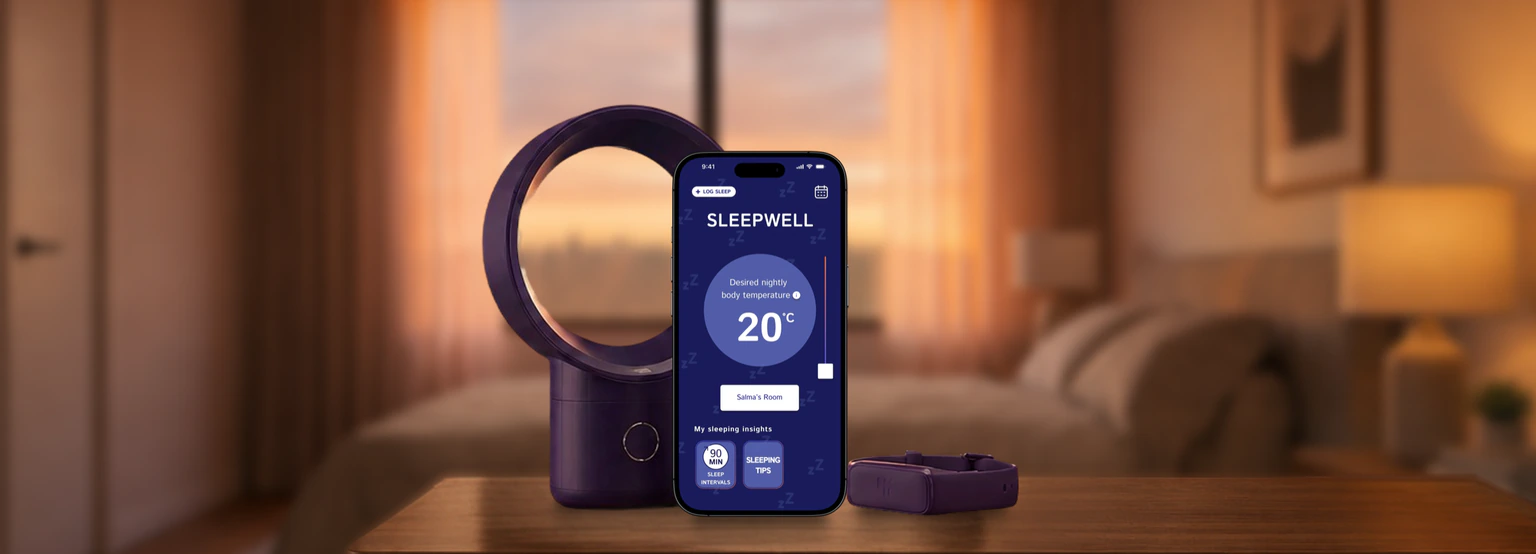
SleepWell brings together a smart wristband, a fan, and an app connected over Bluetooth. The wristband tracks body temperature throughout the night and sends that data to the fan, which adjusts the room temperature to keep the sleeper near their preferred range.
The app logs the data overnight so people can review their sleep patterns and insights when they wake up.
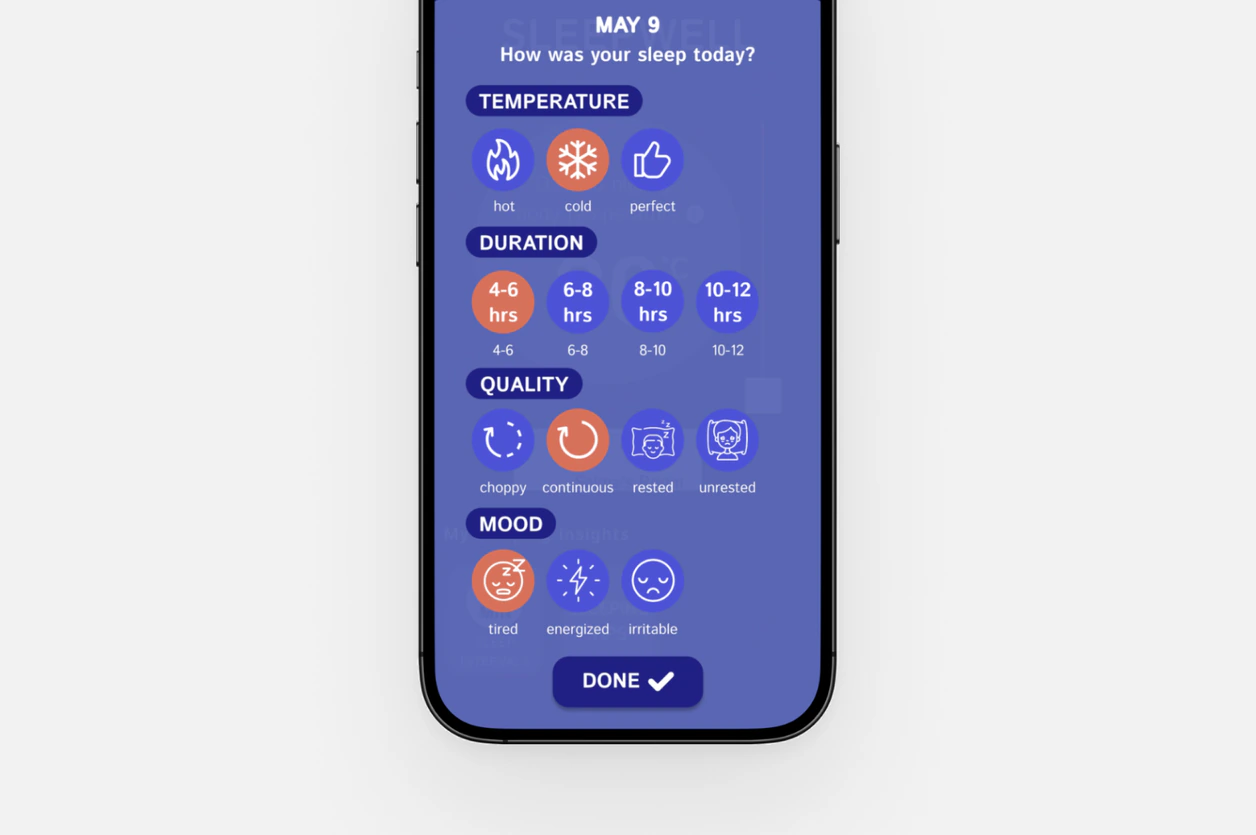
Log sleep quality
A single labelled action at the end of the night that feeds personalized sleep insights.
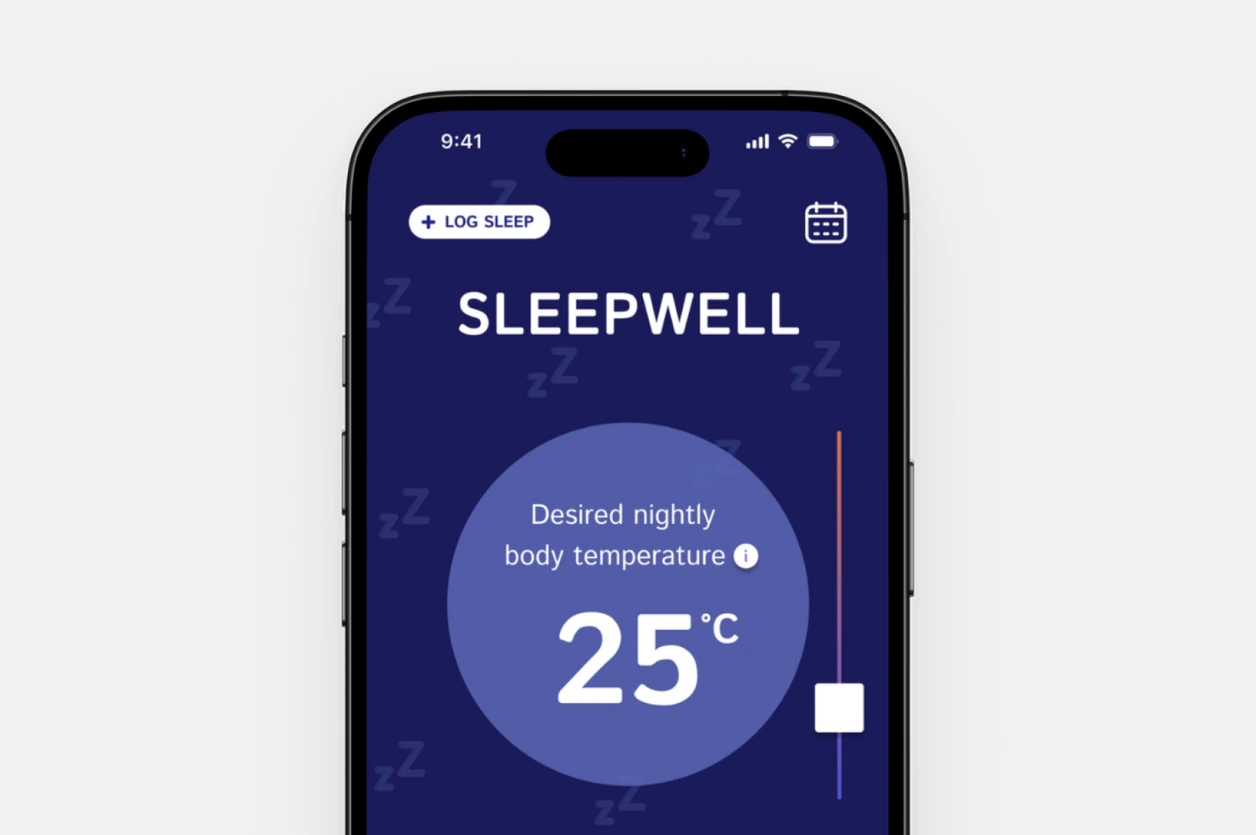
Set a desired nightly body temperature
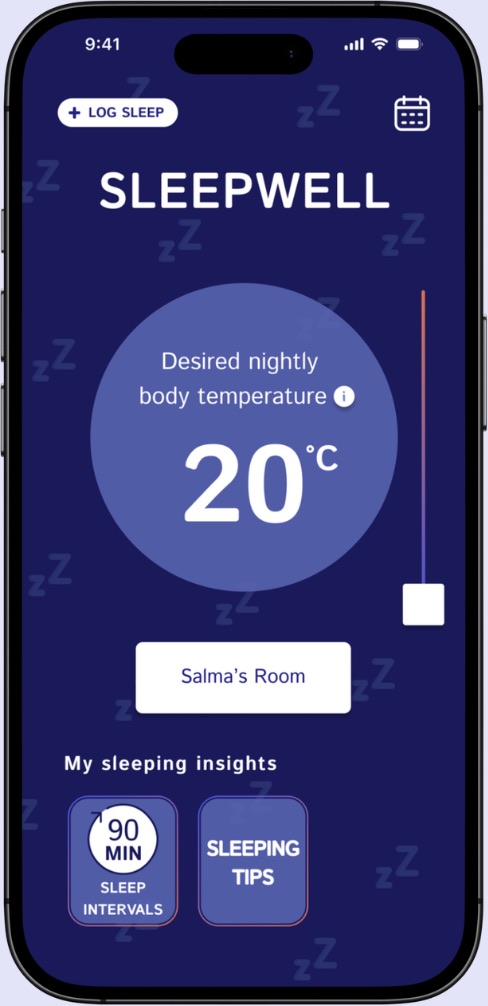
The temperature target is the home screen: one clear value to adjust.
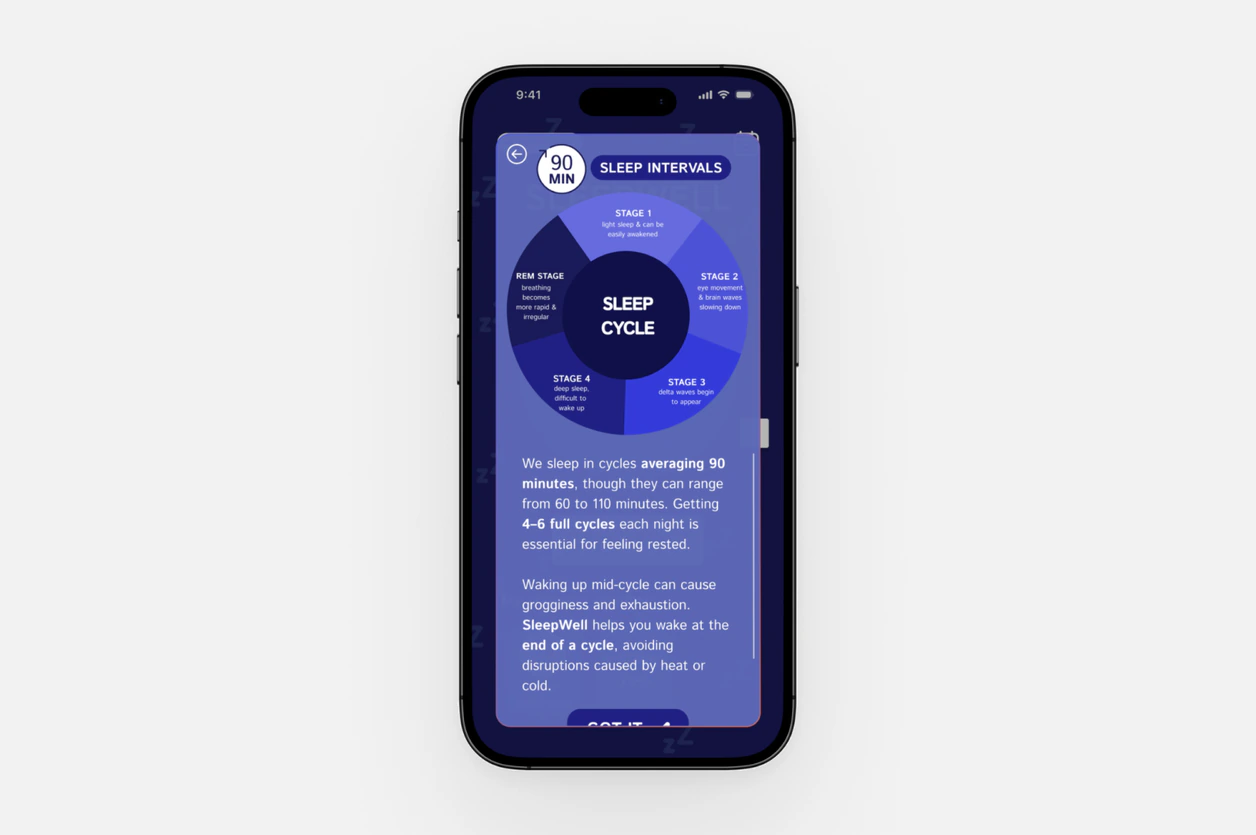
Explore sleep insights
Insight cards expand to explain patterns over time, not just last night.
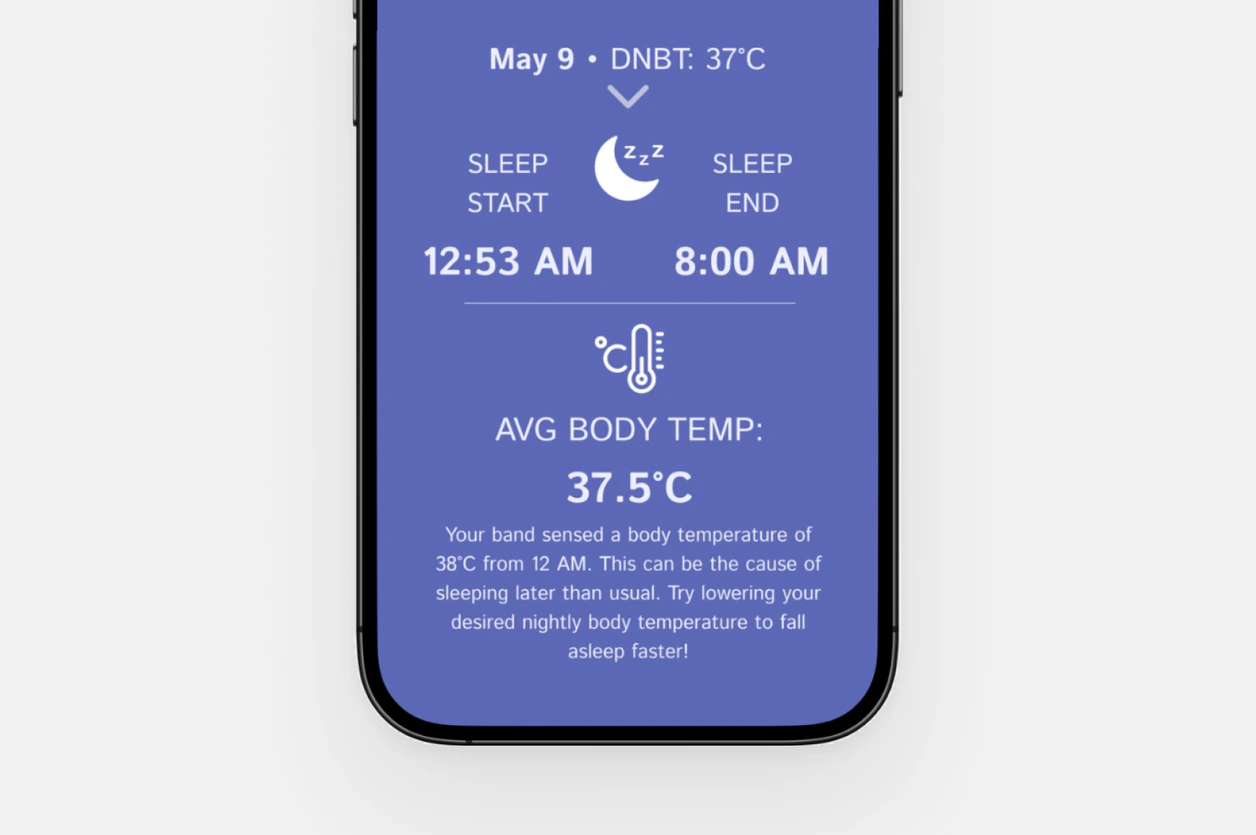
Review nightly results
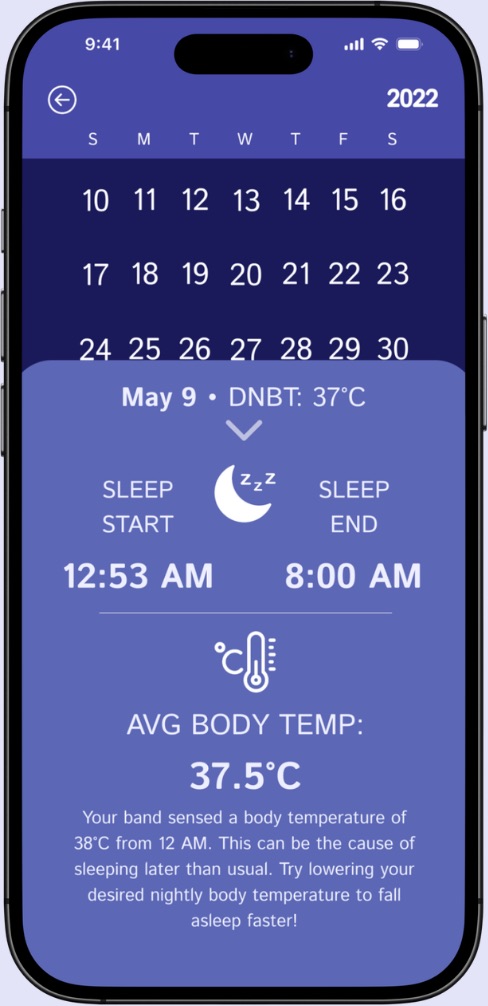
Each morning connects the night’s temperature data to smart recommendations.
Talking to students and athletes dealing with constant temperature swings
The research started with high school students balancing heavy sports and extracurricular schedules. They were expected to get eight hours of sleep while often averaging only five to six.
Across these groups, the same three pain points kept coming up: maintaining a comfortable room temperature was a constant struggle, low energy affected the next day, and there was no clear way to understand when a sleep disruption actually happened.
Looking at what already exists in smart thermostats and sleep apps
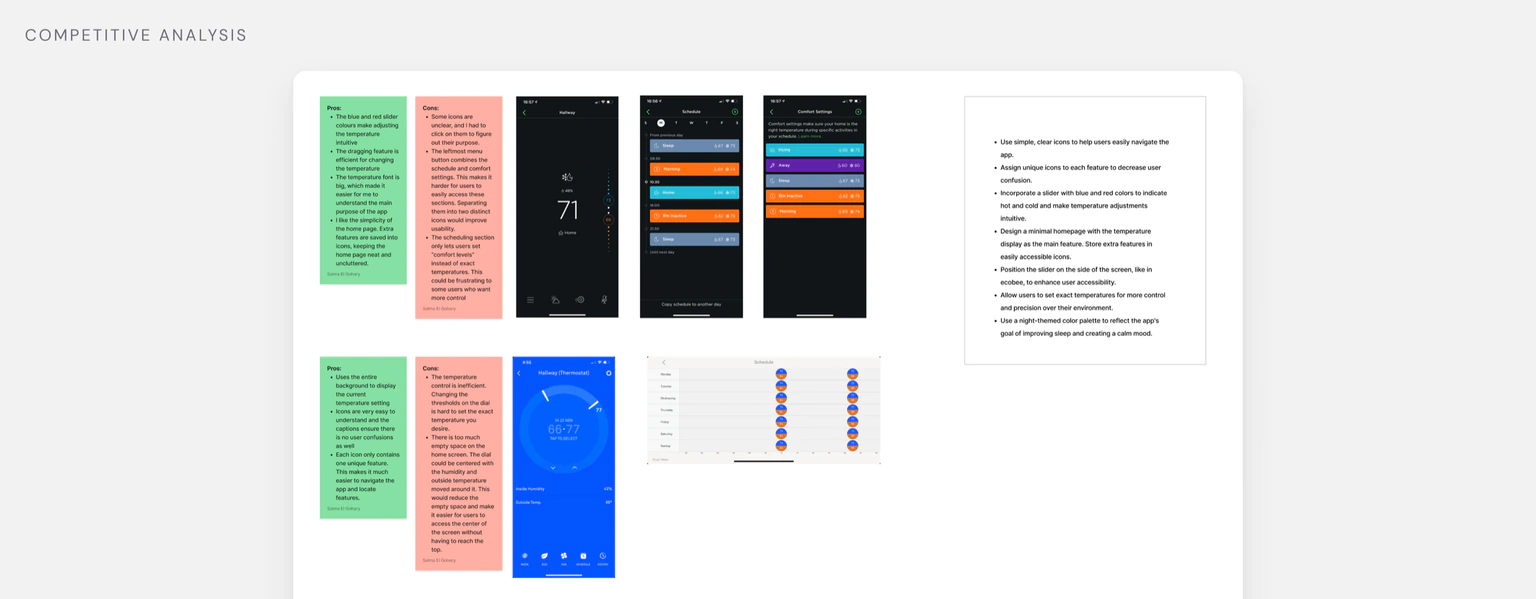
A quick look at existing products revealed familiar patterns: simple icons, clean home screens, and temperature controls using smooth visual gradients.
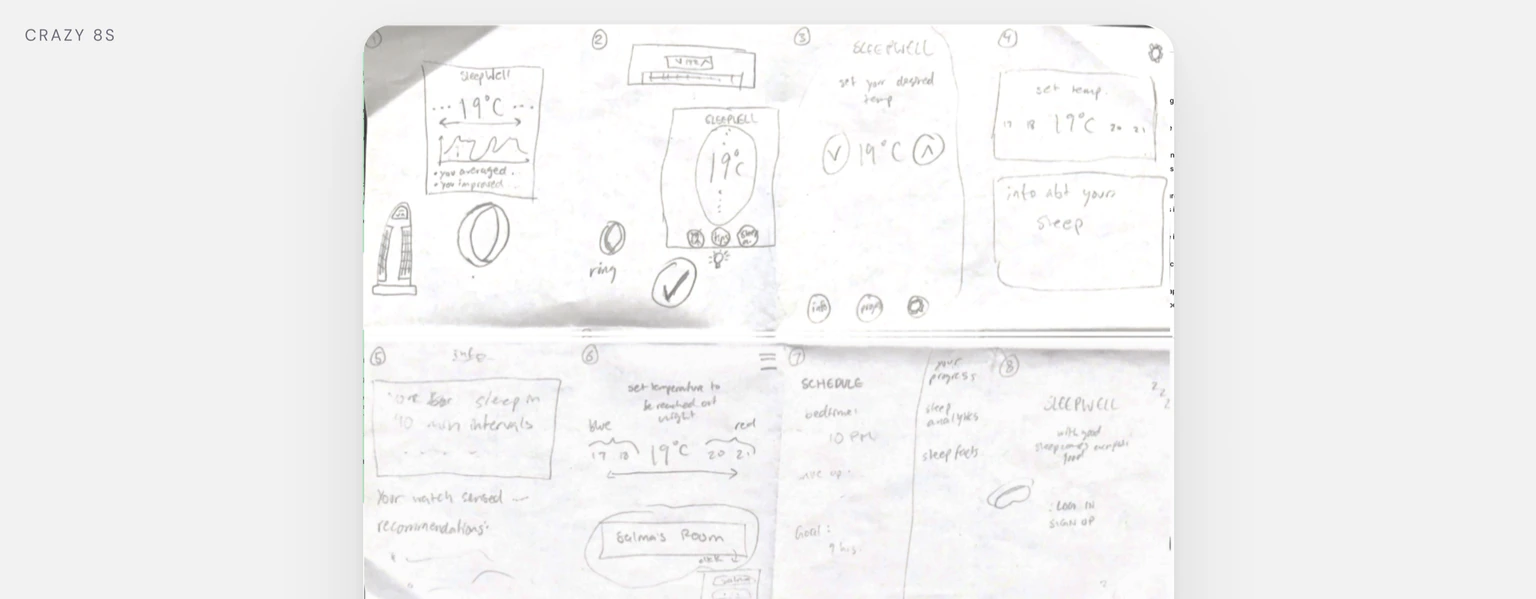
Kicking things off with Crazy 8s to test eight different layouts
One direction stood out: a vertical temperature slider paired with a clean layout and subtle icons for secondary features. It built on familiar patterns from the competitive review while giving temperature control the most visual weight.
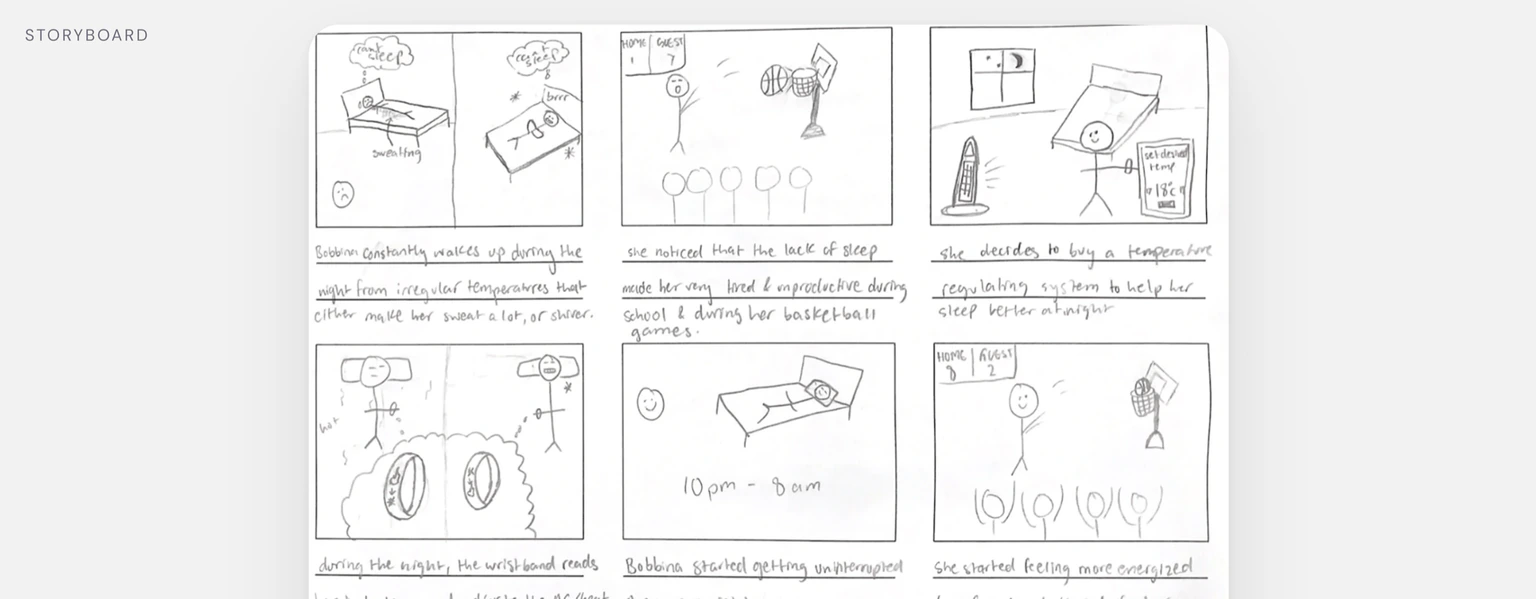
Storyboarding revealed that sleep logging could be the product's long-term value.
The wireframes focused on controlling temperature, but storyboarding revealed a bigger opportunity. Logging sleep data over time gives the app a reason to stay useful beyond a single night. Seeing how body temperature connects to sleep quality could help people understand what works for them instead of simply reacting when the room gets too hot or cold.
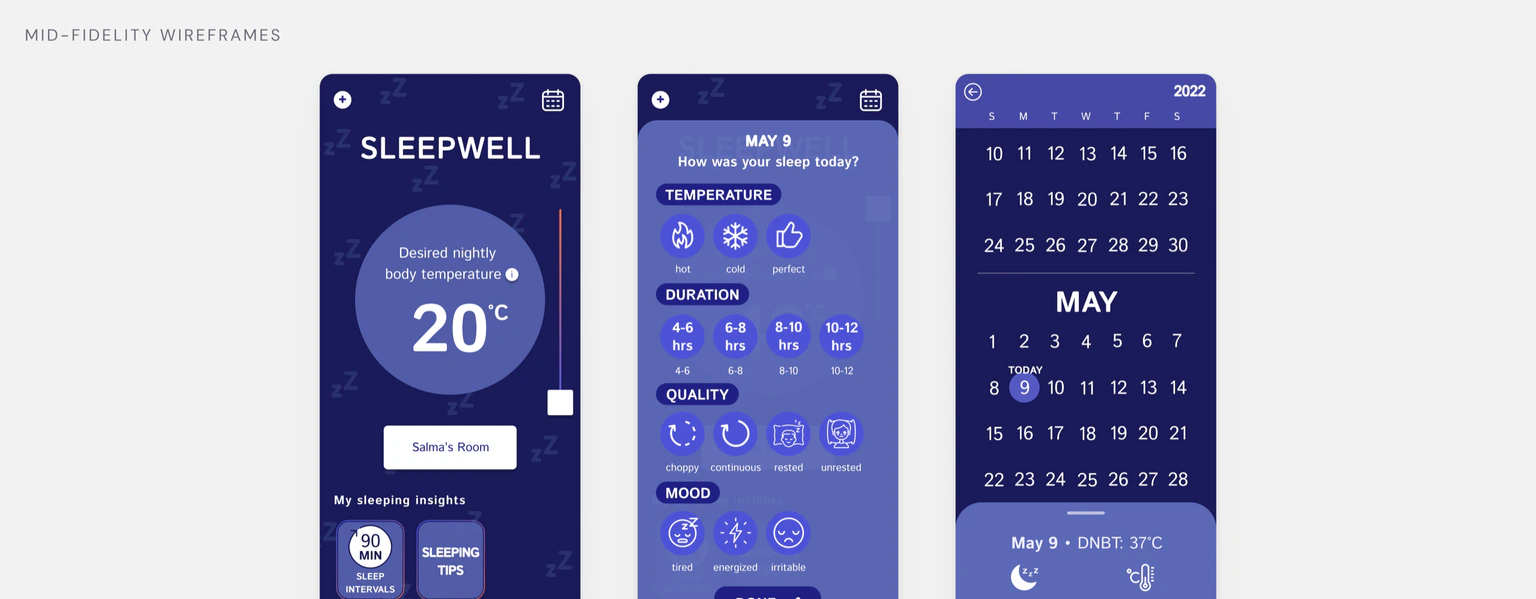
Turning the concept into testable flows
Mid-fidelity wireframes brought the core experience together and were ready to test with five users.
Putting prototypes in front of real users to catch friction early
I recruited five high school students across different grade levels to test the mid-fidelity prototype. The goal was to validate the core interactions and see whether the layout made sense without explanation.
Testing goals
What came out of testing
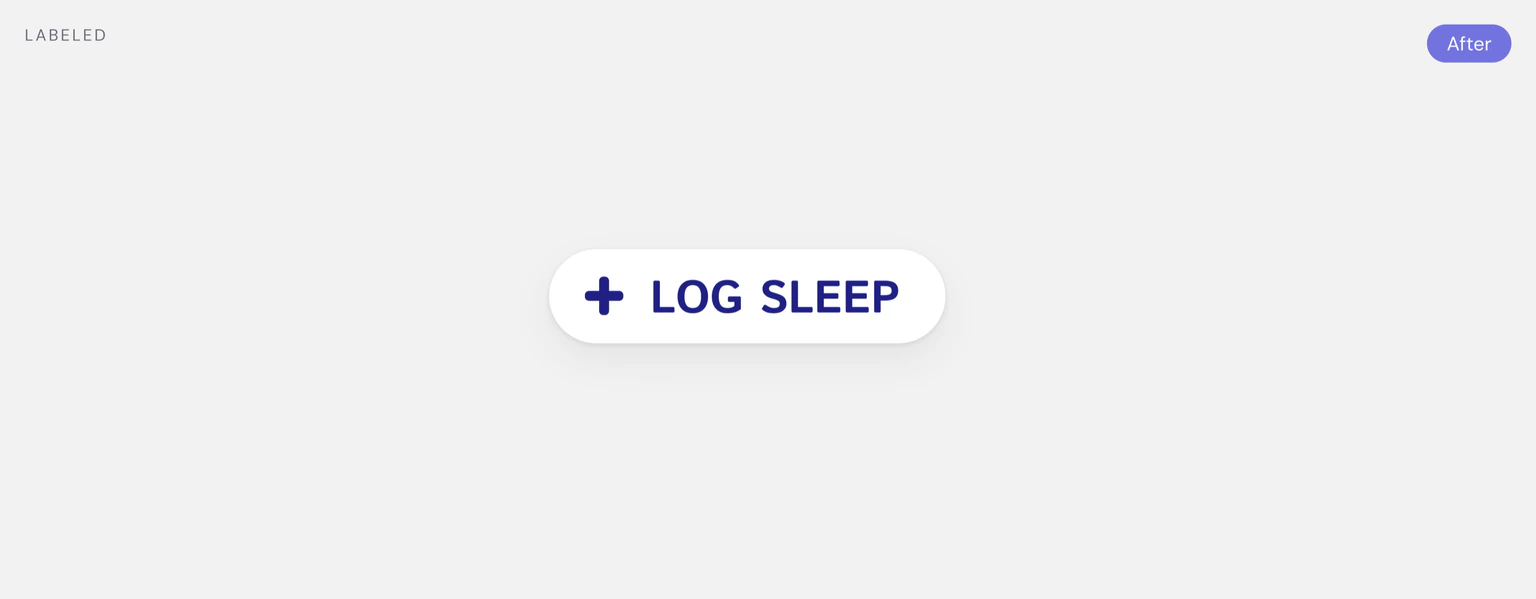
Label the sleep logging action
People couldn’t tell that the plus icon meant sleep logging. Adding a clear “Log Sleep” label removed the guesswork and made the action easier to understand.

Shorten the educational content
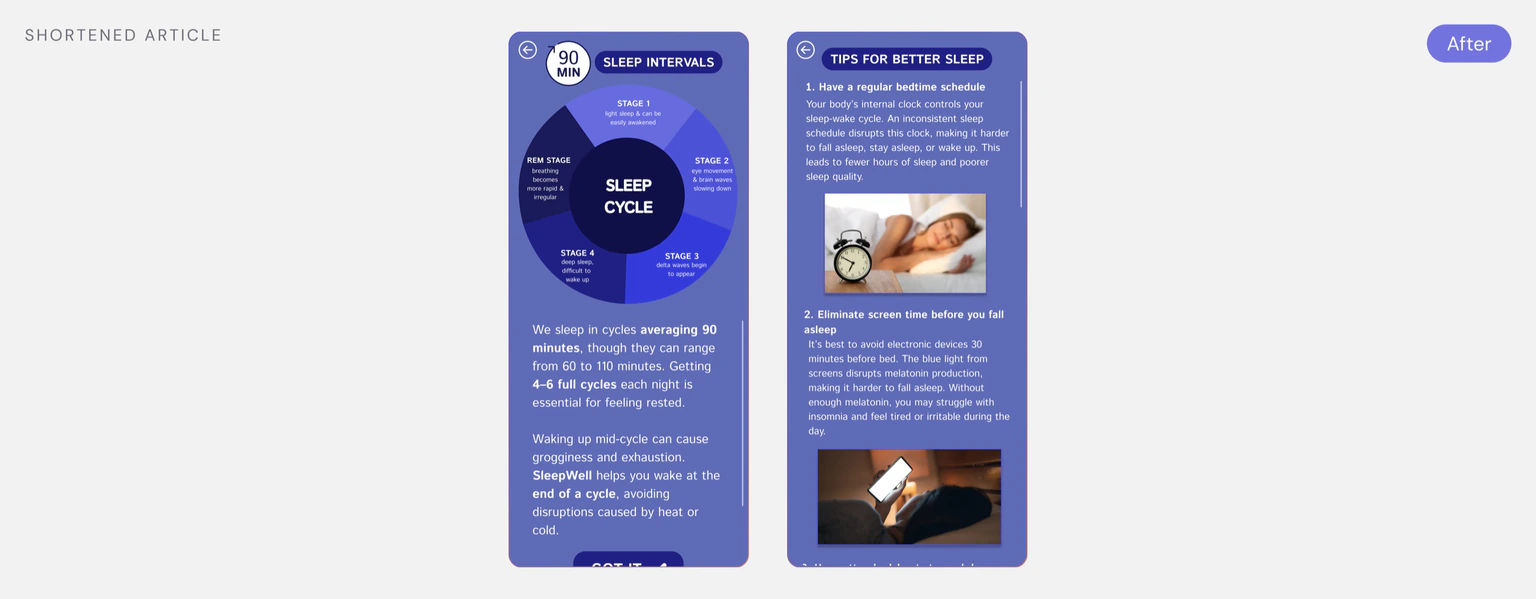
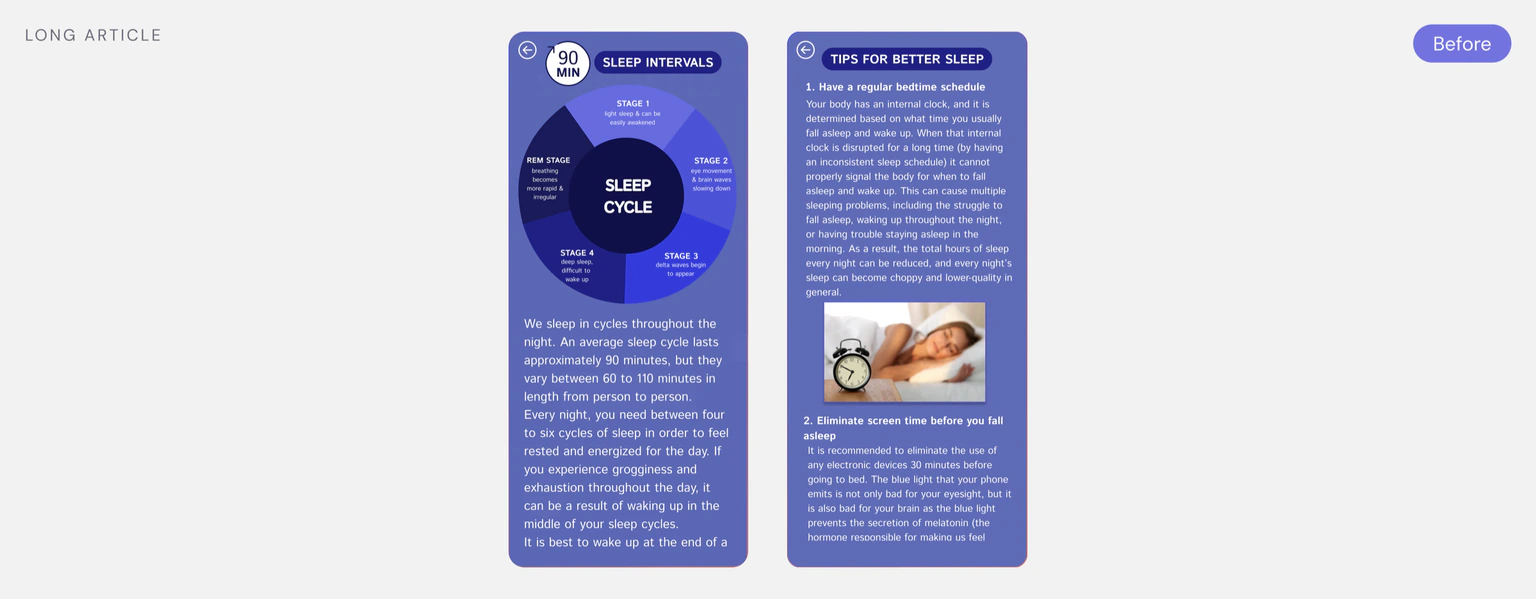
Long blocks of text lost people’s attention halfway through. I shortened the content and added a progress bar to make the information easier to scan and follow.
Swap the hidden drag gesture for a tap-to-expand arrow
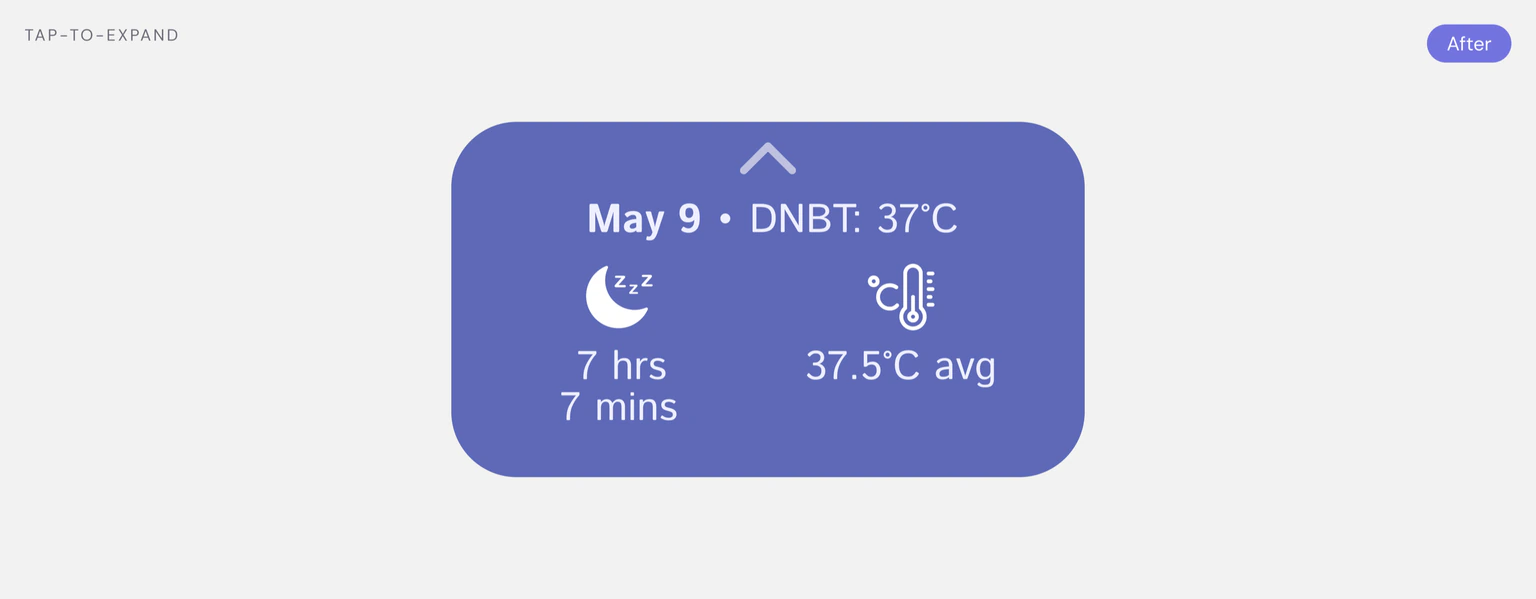
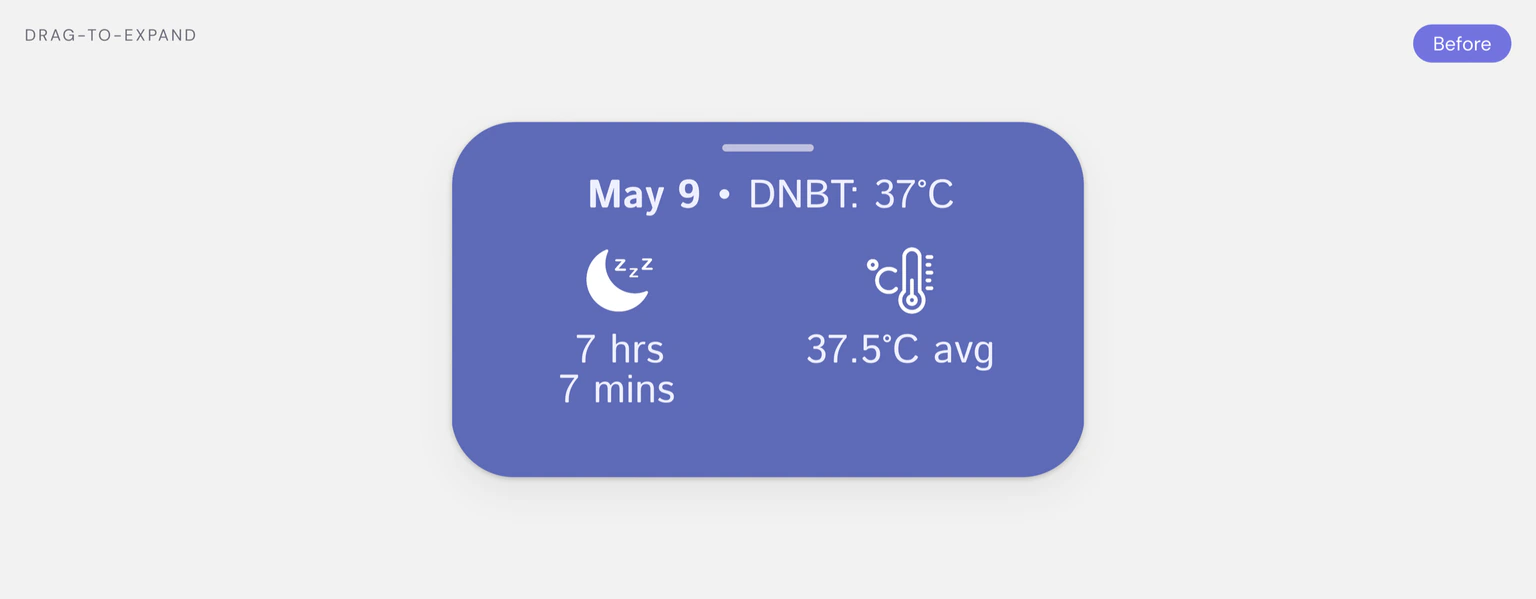
None of the users discovered the drag-to-expand interaction because nothing suggested that the card was interactive. Replacing it with a simple arrow made the action clear.
We created a sleep system that looks after the room overnight.
The final design puts the nightly temperature target at the centre of the home screen, gives sleep logging a clear label, and turns each night’s data into results and insights people can review in the morning.
What I learned
Clarity comes from iteration
Strong design rarely happens on the first try. Features that felt intuitive in Figma became confusing during testing, which reinforced that iteration isn’t extra work. It’s part of building something that actually works for people.
Making interactions explicit
Without clear visual cues, even simple interactions can create unnecessary friction. Adding labels and obvious affordances helped people navigate the experience with more confidence and less guesswork.
Where I’d take it next
Expand research beyond high school students
Because of early time constraints, the research focused on high school students. Next, I would expand the research to include university students and parents to understand how sleep needs and temperature preferences change across different life stages.
Design for accessibility and personal preferences
Future iterations would explore both light and dark modes, along with broader accessibility considerations. Giving people more control over their visual experience could make SleepWell more comfortable and inclusive.