← Back

Making Copilot easier to find, use, and trust for compliance workflows

RoleProduct Designer
Team1 PM, 3 designers
Timeline8 weeks (Oct – Dec 2025)
SkillsProduct thinking · Interaction design · Heuristic evaluation
← Back
OverviewProblemSolutionOutcomesResearchCompetitor researchDesign processDesign decisionsFinal designsReflectionNext steps
Overview

Trax helps construction professionals find and verify building code requirements digitally.

Trax digitizes 80+ Canadian building codes, helping architects, engineers, and construction professionals quickly find the requirements they need.

Copilot is Trax’s AI assistant for searching and understanding those codes. As Trax moved toward an AI-powered compliance platform, Copilot became central to the product.
Trax brand
Problem

Copilot was becoming central to Trax, but users had to dig to find it.
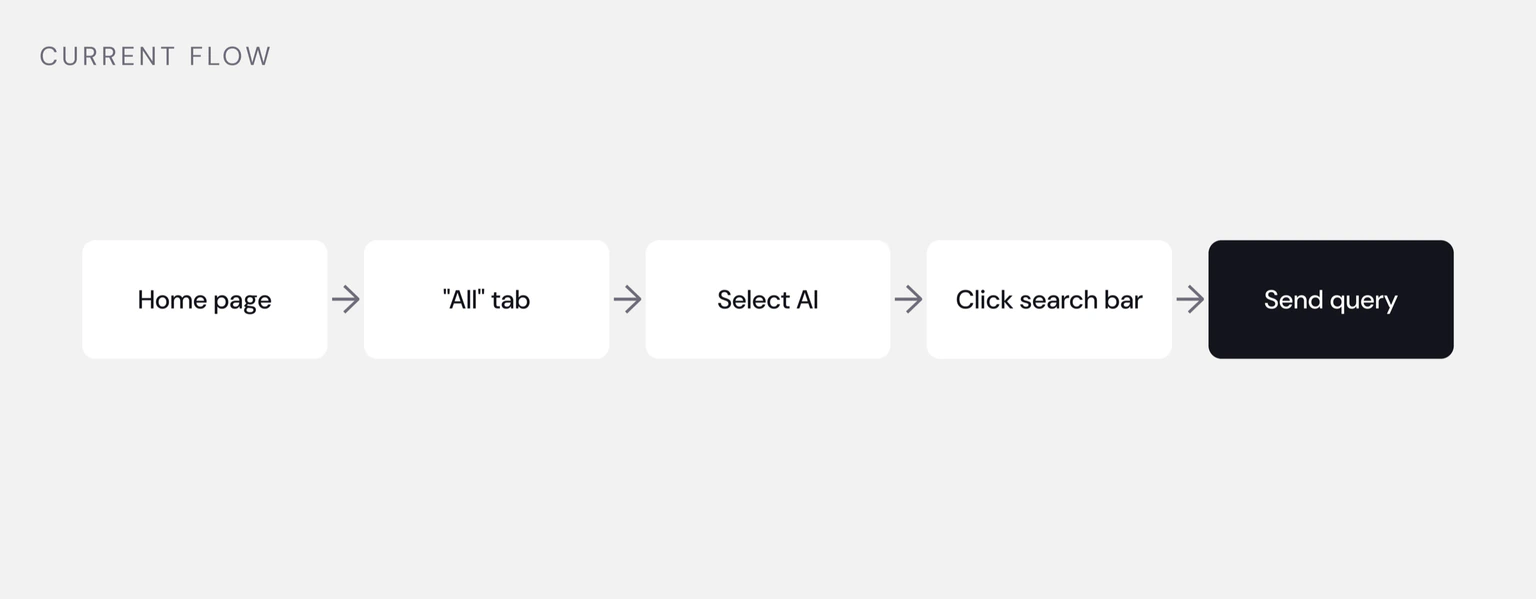
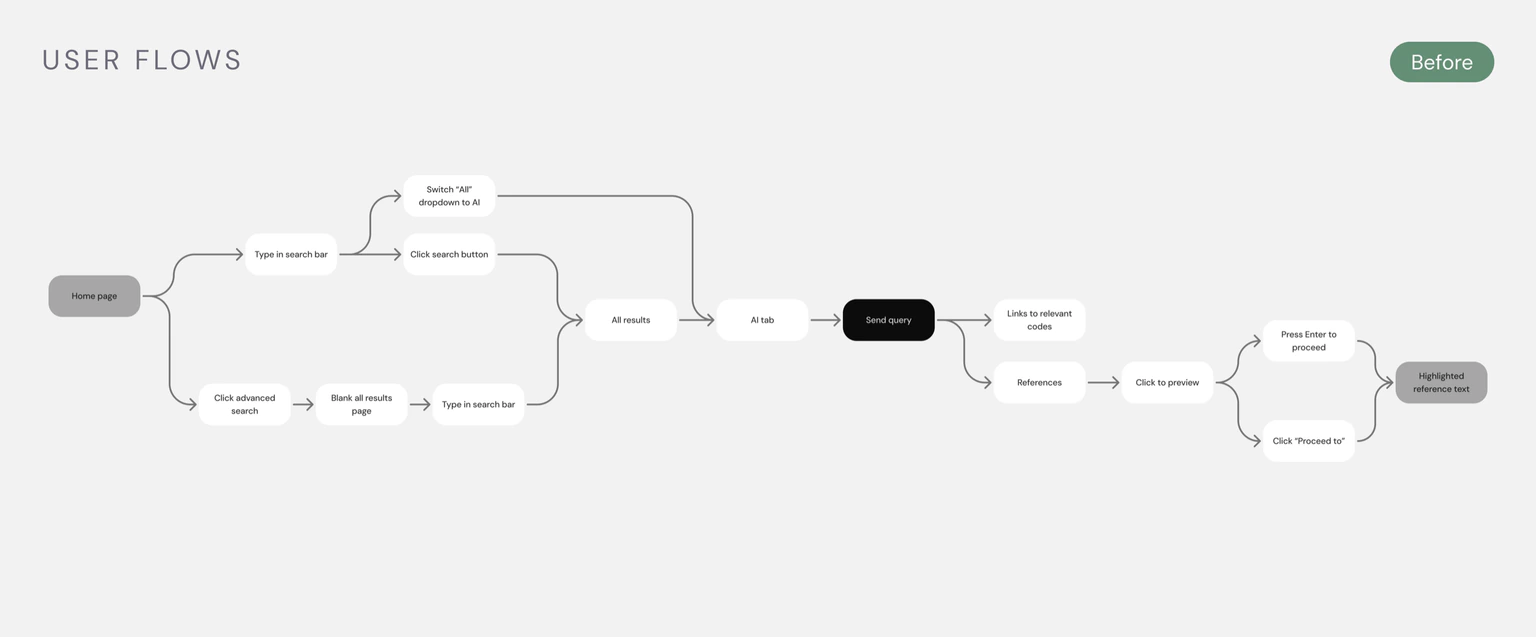
The current flow: home page, All tab, select AI, click search bar, send query

Users had to navigate through three steps to find Copilot, and its entry point looked almost identical to Trax’s regular keyword search.

Copilot needed to become a more prominent part of the platform.

As Trax leaned further into AI, we had an opportunity to make Copilot a more visible and recognizable part of the platform.

Solution

We made Copilot easier to find, easier to use, and easier to trust.

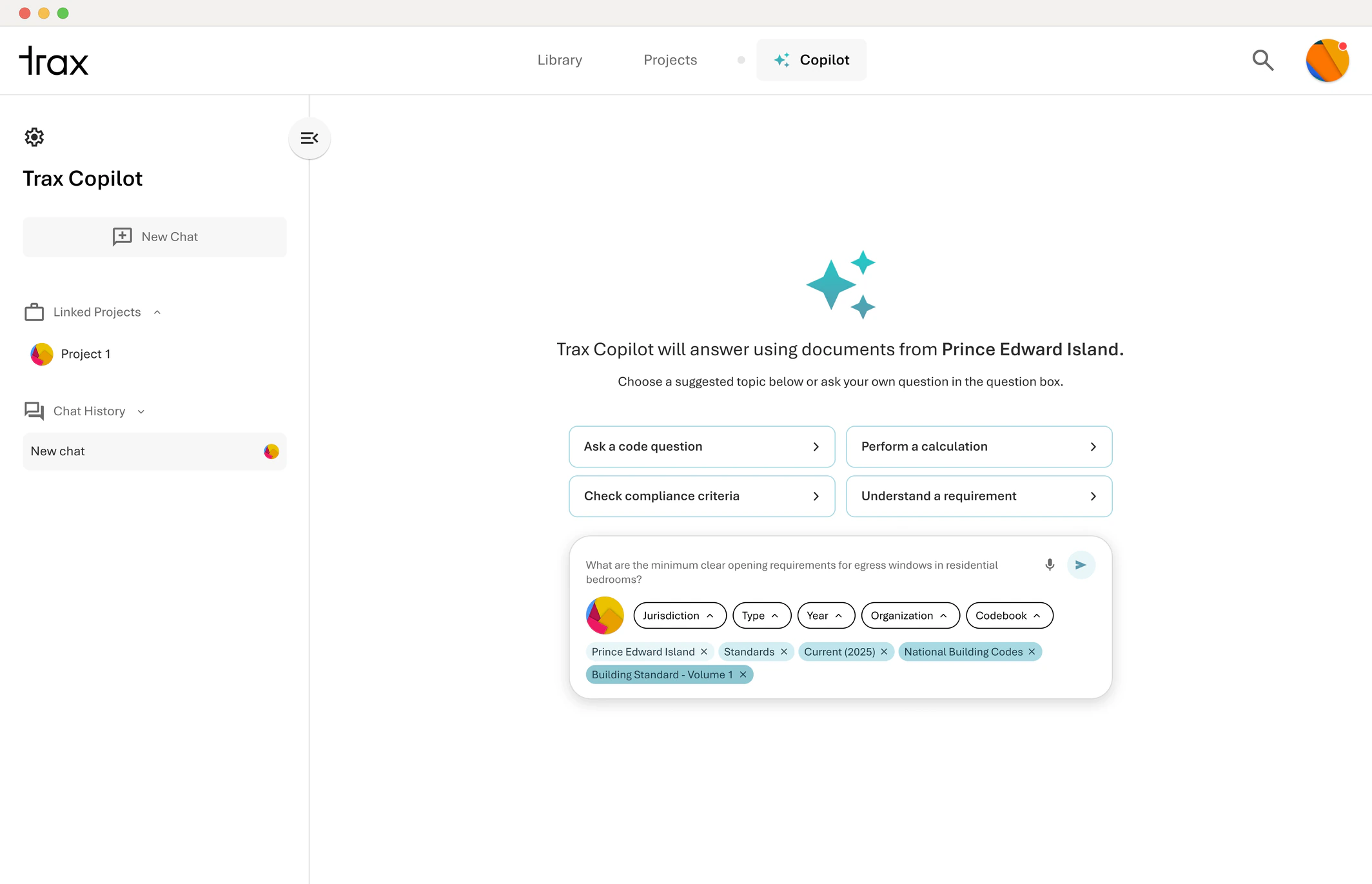
The new Copilot experience makes it easier to access AI-powered code search, refine questions with context, and verify answers against source documents.
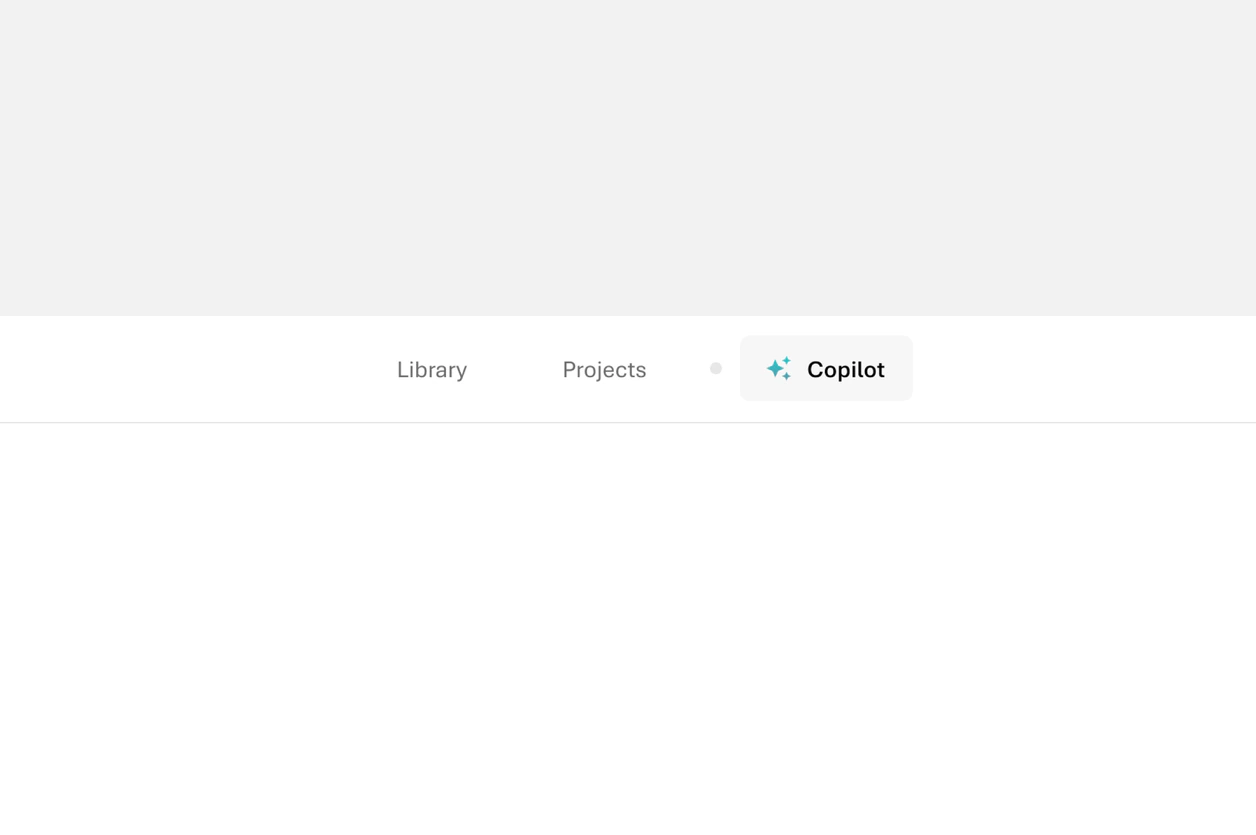
Copilot promoted into the top-level navigation

One-click access from anywhere in Trax

Copilot moved into the top-level navigation, so users can start a question from any screen instead of digging three steps down.
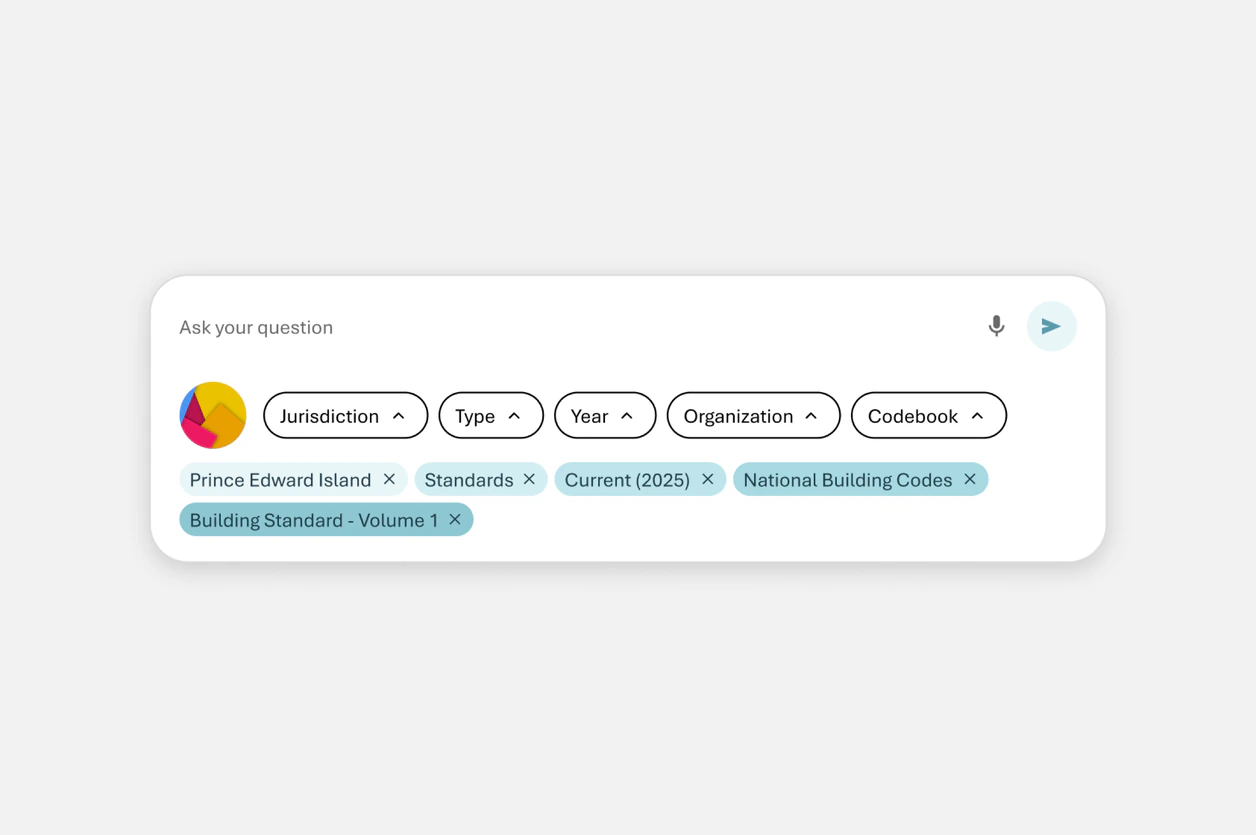
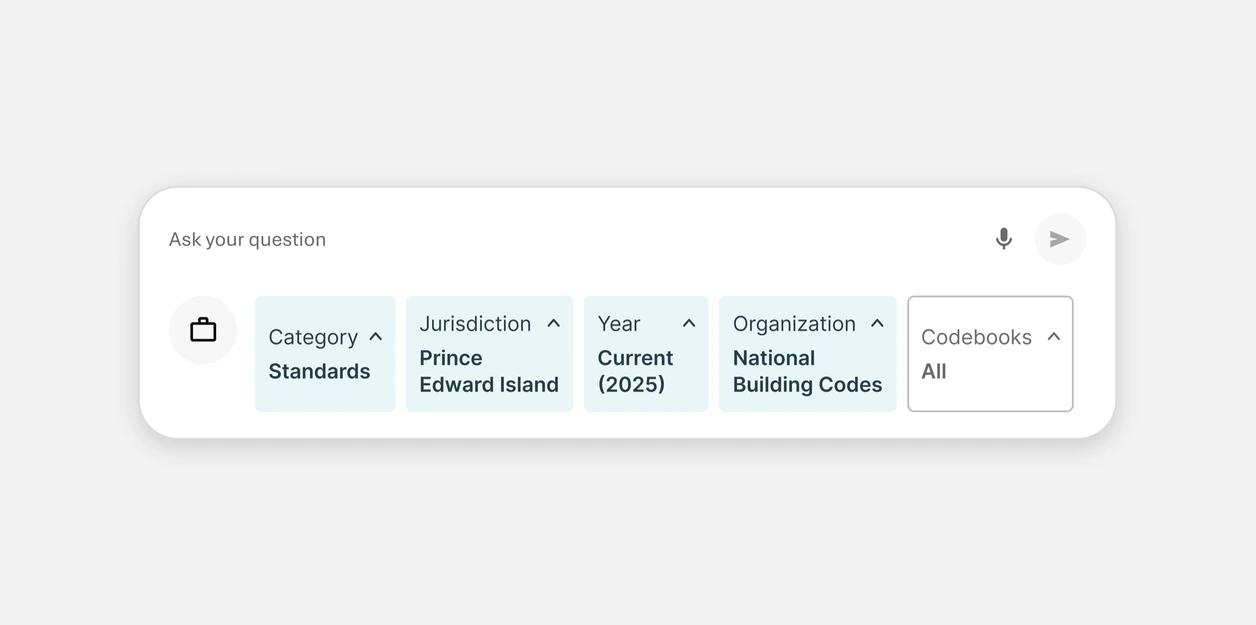
Selected filters kept as editable pills below the question box

Persistent filters for more focused questions

Filters stay applied across questions as editable pills, so users can narrow to a codebook or municipality once and keep refining.
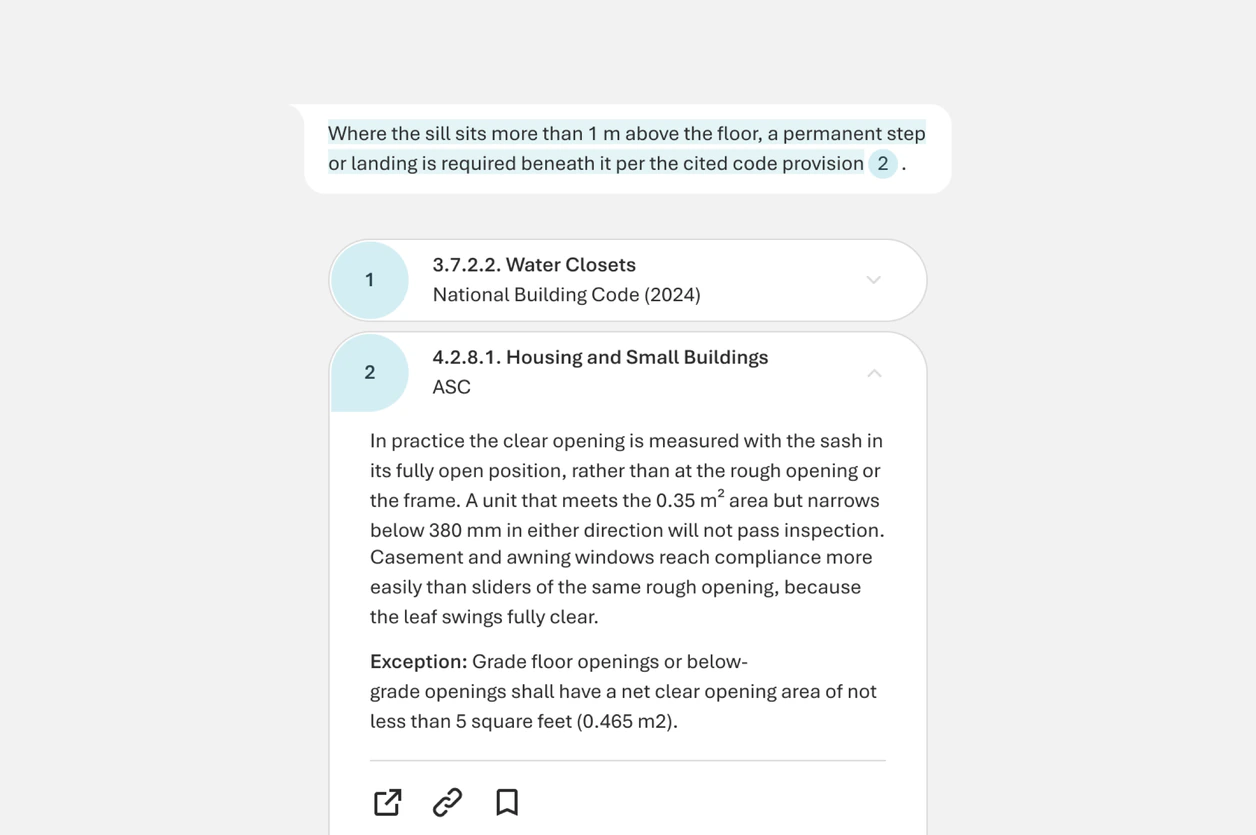
A citation opening the reference panel beside the answer

Inline citations for easy source verification

Citations open a reference panel beside the answer, so users verify against the source without leaving the conversation.

Outcomes
33% fasterresponse validation
48% increasein standard-to-premium
conversions
400+ industry firmsusing Copilot today
Research

I started by looking at where Copilot was falling short.

I combined heuristic evaluation, existing user feedback, and feature requests to understand where users were running into friction.
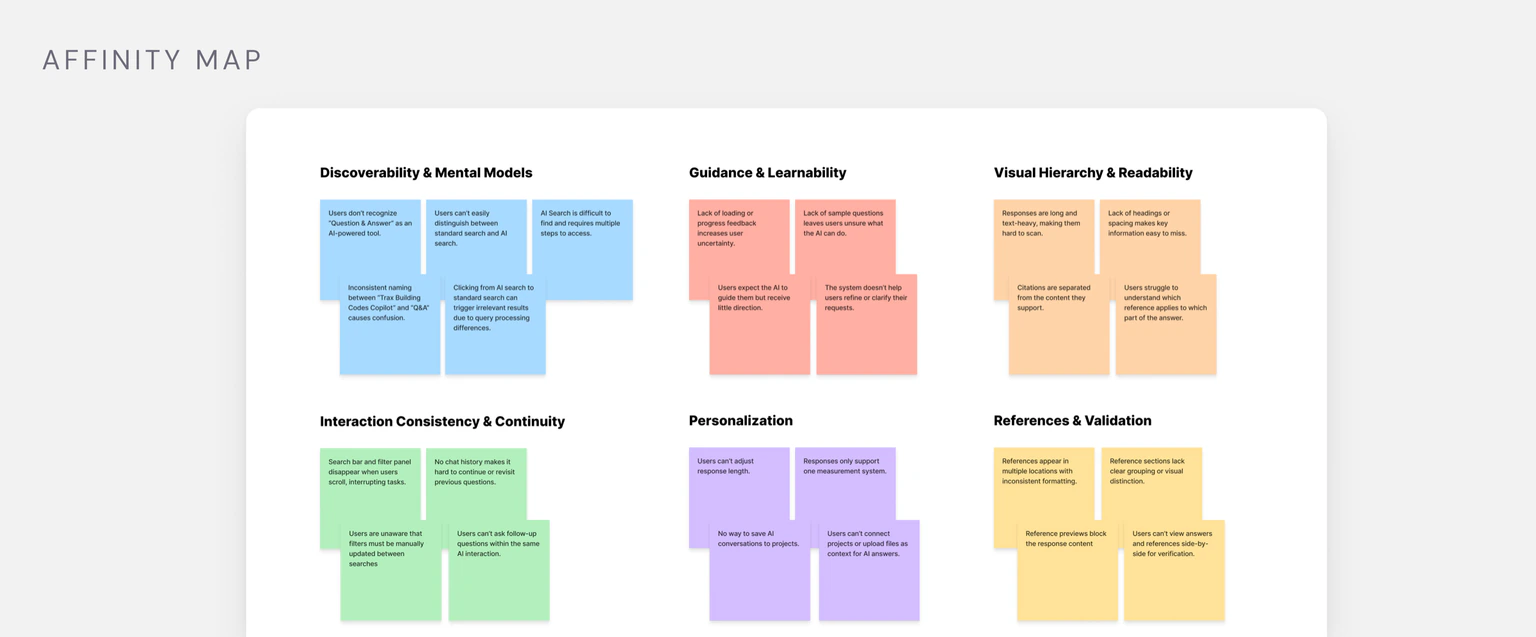
Affinity map of the heuristic evaluation and feature requests

I found five key problems:

Copilot was difficult to discover within the existing navigation.
Its entry point looked too similar to regular search.
Filters reset between questions.
Answers lacked clear, accessible citations.
There was no clear way to start a new question without losing the current context.

Users were asking for...

Better examples of what Copilot could help with.
A way to compare answers across codebooks and municipalities.
More control over which sources Copilot used.
A way to refine an answer without starting over.
More confidence that answers reflected the latest applicable code.
Competitor research

Competitors made it difficult to verify AI responses against source documents.

Most competitors relied on long responses and scattered references, forcing users to scroll through the response or leave the conversation to find the supporting source.

This gave us an opportunity to make source verification faster by keeping relevant code references close to the answer.
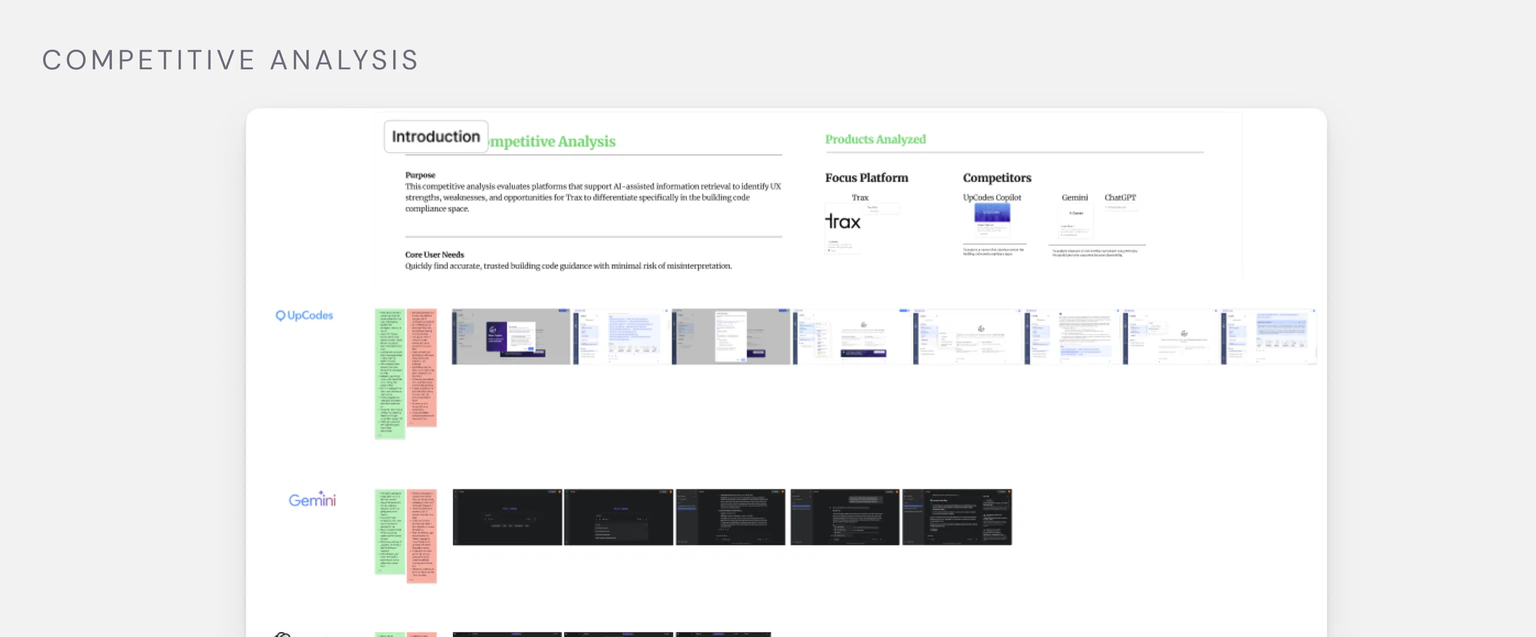
Competitive audit board
Design process

I mapped the existing flow and explored ways to improve it.
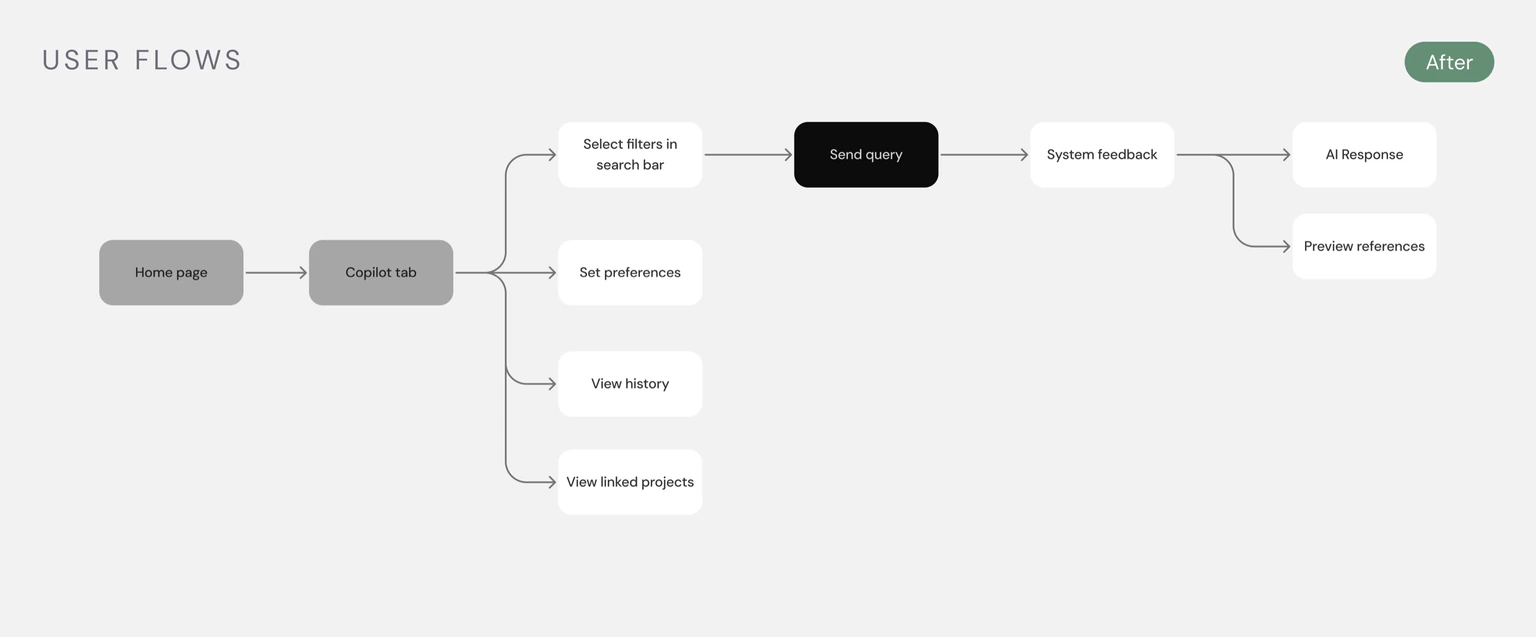
User flows after the redesign User flows before the redesign

I mapped the existing Copilot experience to identify where users were running into friction, then explored different ways to improve the flow. The biggest gaps appeared around entering Copilot, refining a question, and verifying the response.

A technical constraint changed the direction.
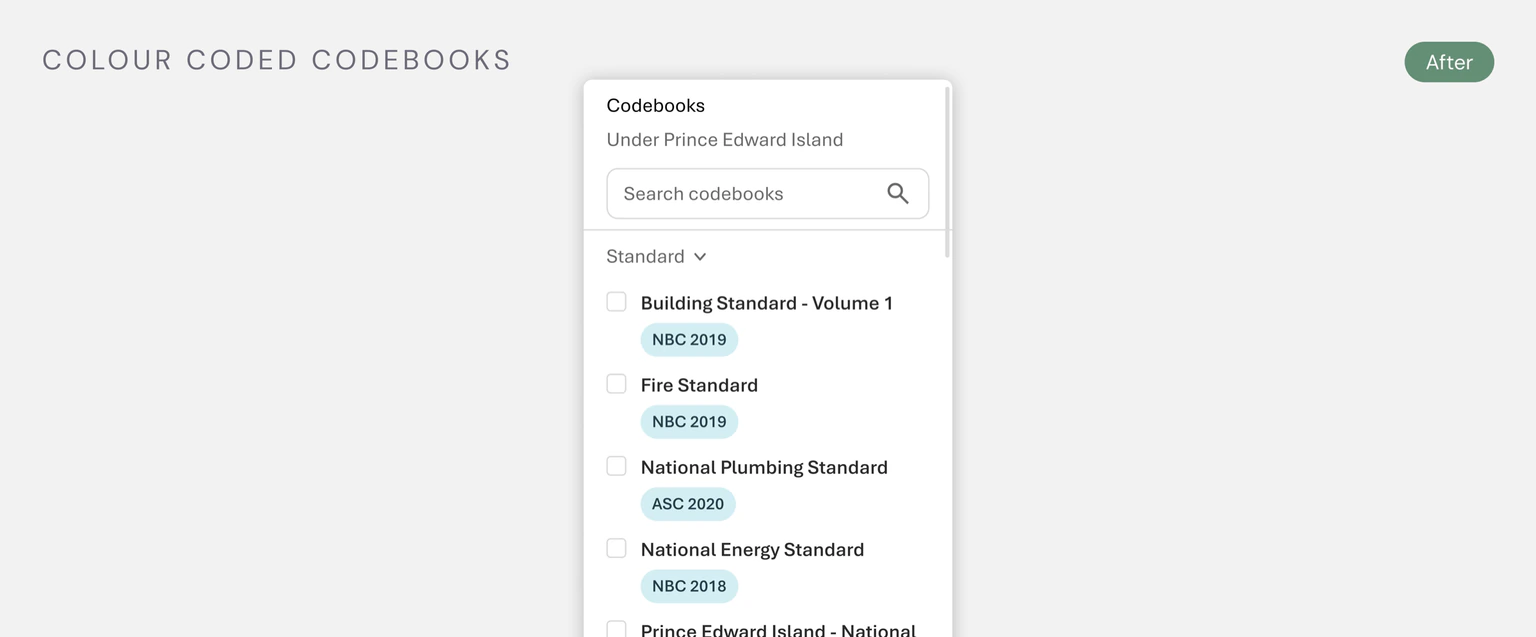
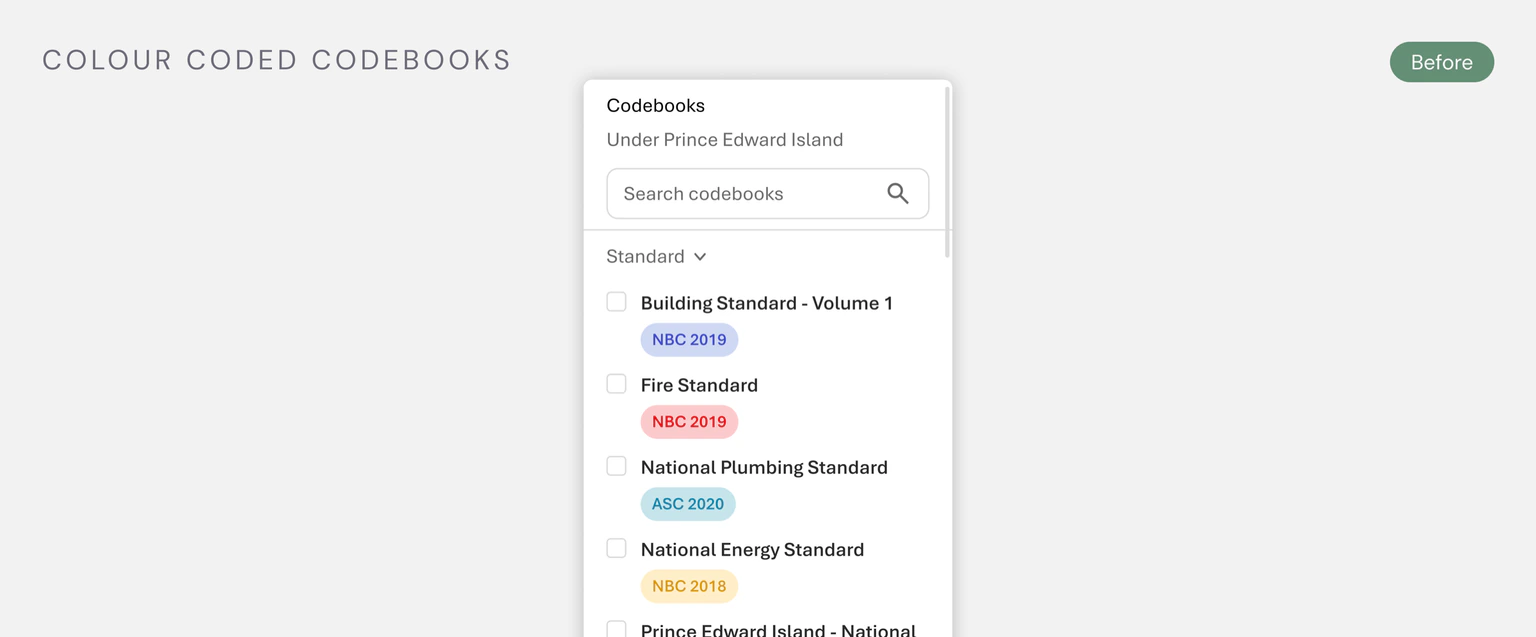
Codebook exploration after the constraint Colour-coded codebook exploration before the constraint

I explored using color to distinguish different codebooks (e.g. fire and building codes). After reviewing the idea with development, I learned the backend didn’t currently support this distinction, so we moved it out of scope.

Design decisions

How should Copilot introduce its capabilities?
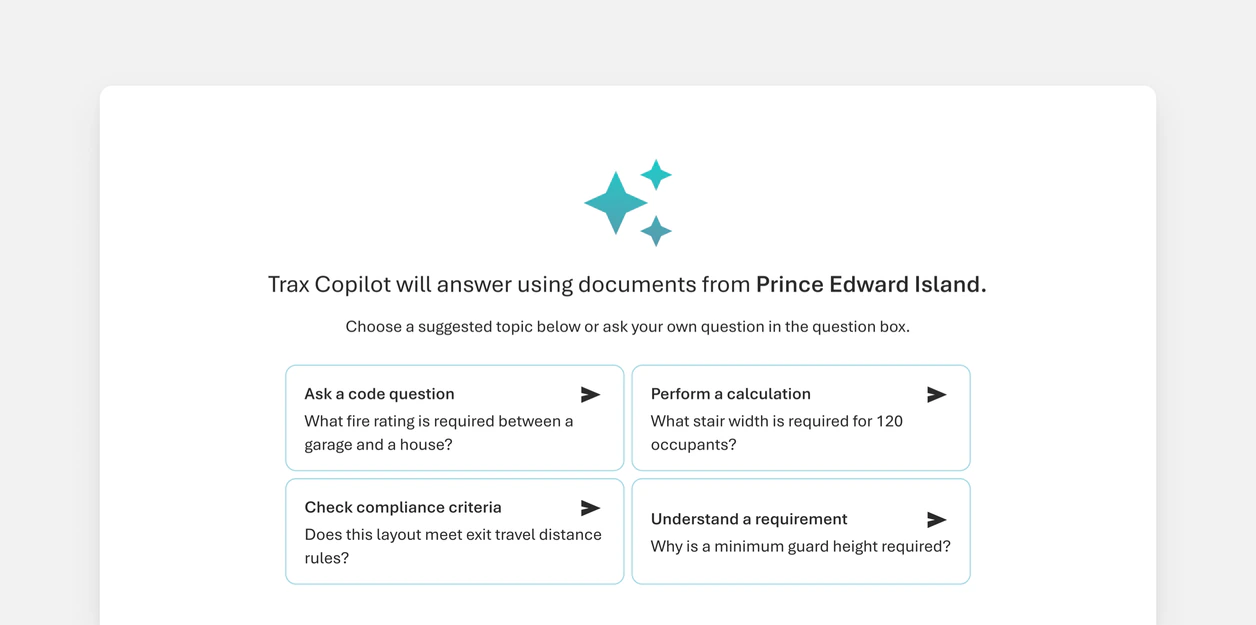
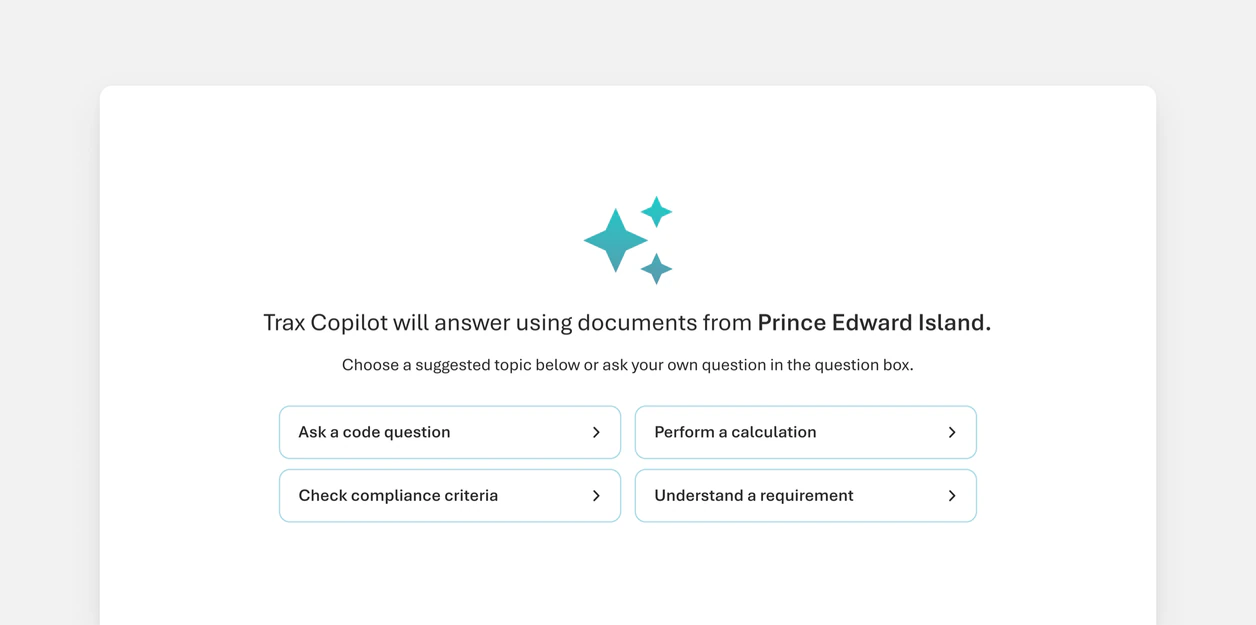
All suggested prompts shown upfront
Show everything upfrontUsers see all suggested prompts when they open Copilot. This made Copilot’s capabilities immediately visible, but presented too many options at once and made the starting point feel crowded.
Suggested prompts using progressive disclosure
Progressive disclosureUsers see a focused starting point and can open prompt categories when they want more guidance.
We chose progressive disclosure to avoid overwhelming users with too many options while still giving them a clear way to explore what Copilot could do.

How should filters be displayed?

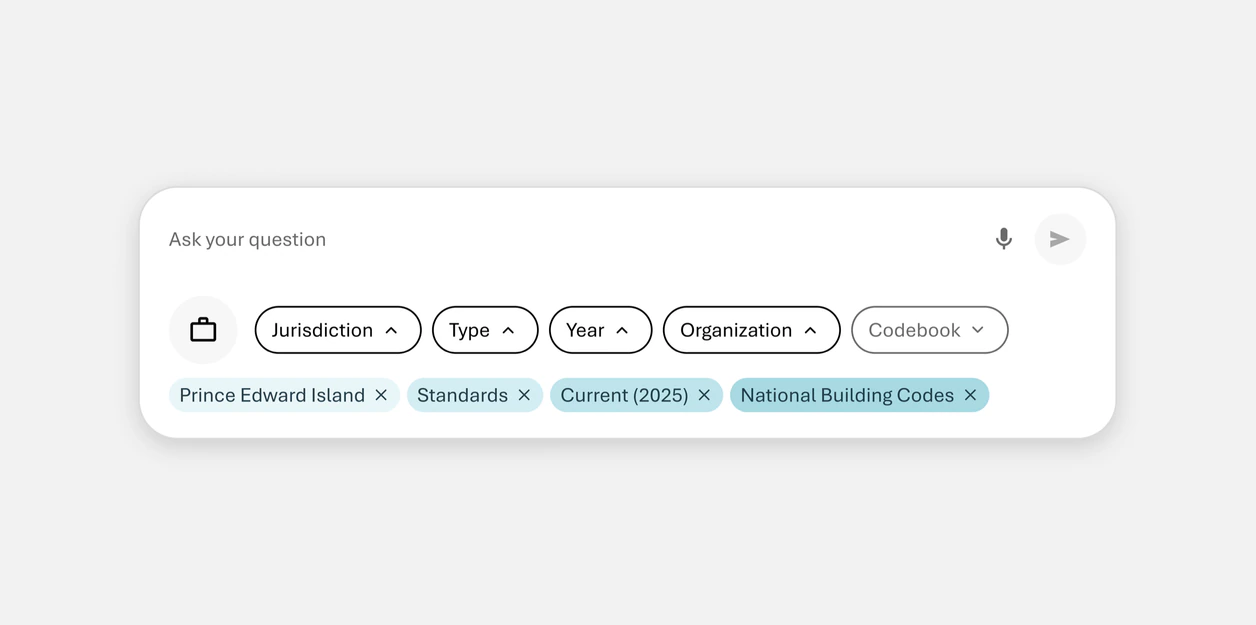
Box-style filters
Box-style filtersUsers select filters from box-style controls that show their selections inside. This kept the search bar height consistent, but it was less scalable as users selected multiple filters.
Pill-style filters
Pill-style filtersSelected filters appear as pills below the filter controls, making them easy to scan, edit, and remove from the conversation.
We chose pill-style filters because they were easier to scan and could scale as more filter types were added.

How should filter colors be used?

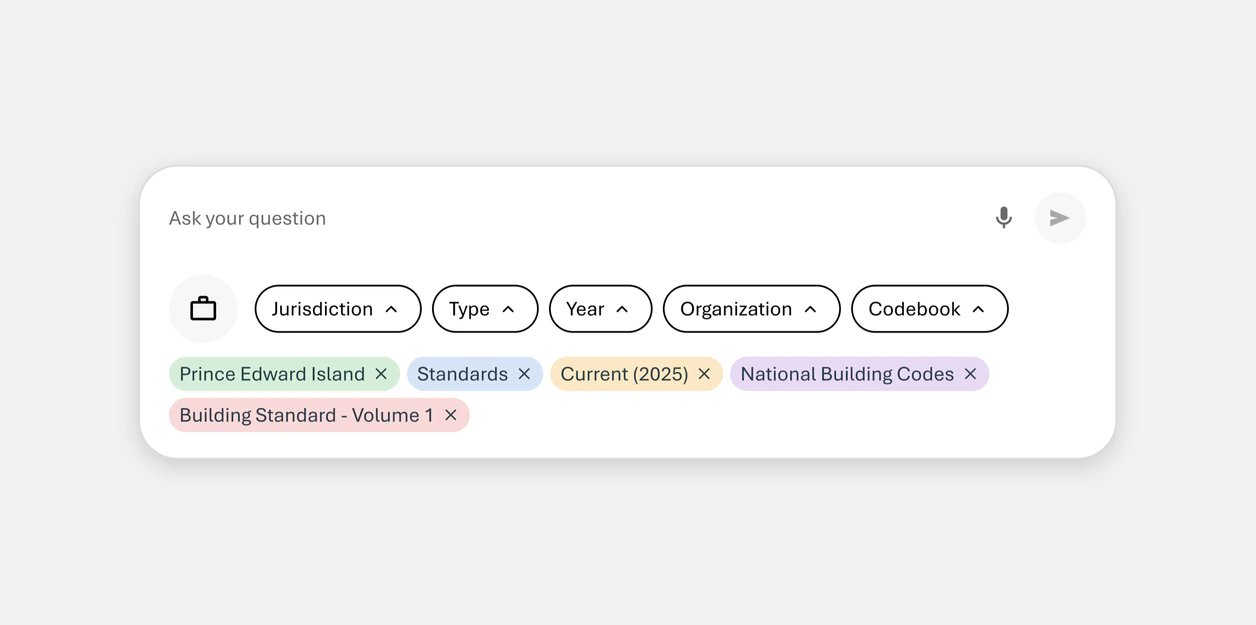
Different colours for each filter type
Different colorsEach filter type uses a different color to make categories visually distinct. This made filter types easier to distinguish, but the colors competed for attention and could be interpreted as having different meanings.
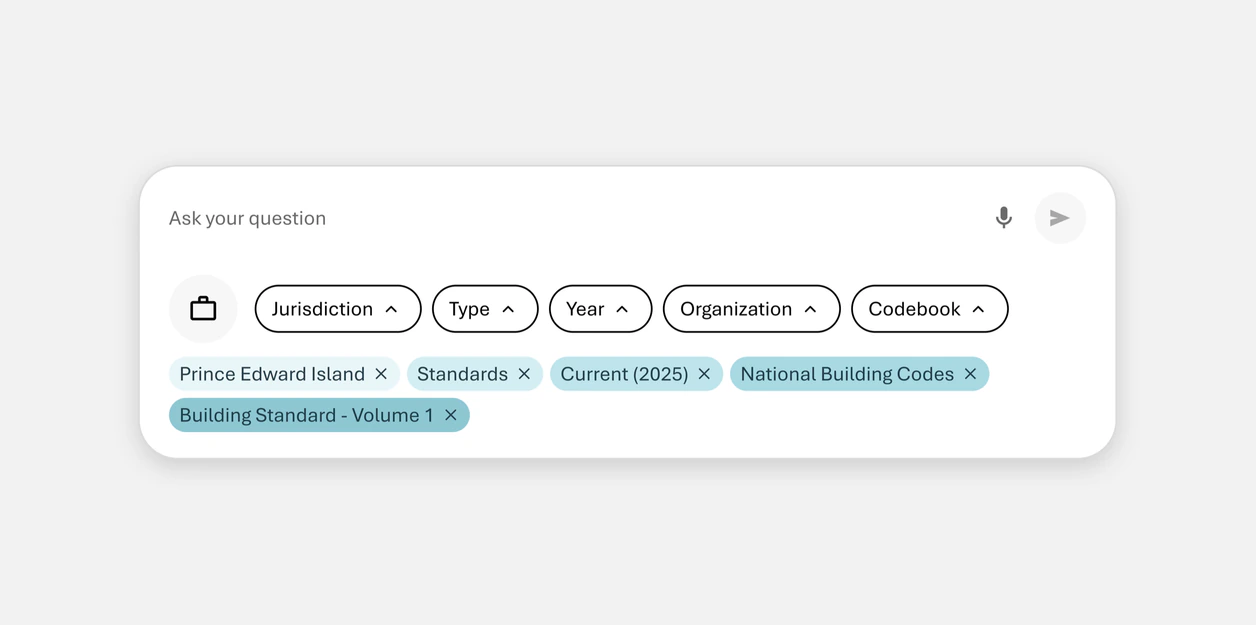
Similar colours across filter types
Similar colorsFilter pills use similar shades to create a more consistent visual system.
We chose similar colors to keep the filters visually consistent and less distracting, while grouping them by type to maintain distinction.

How should users verify an AI-generated response?
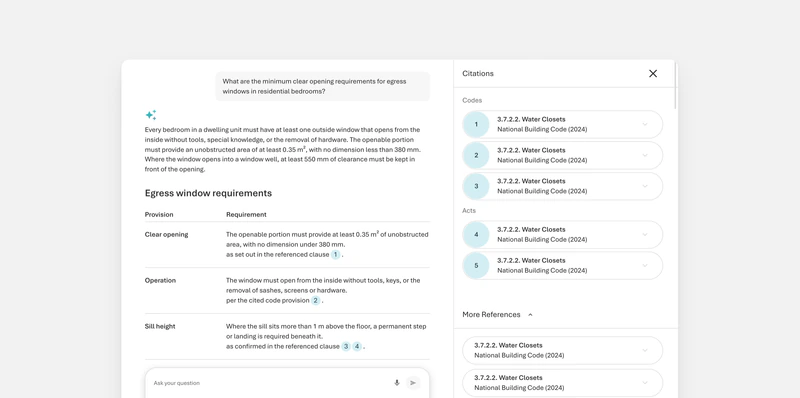
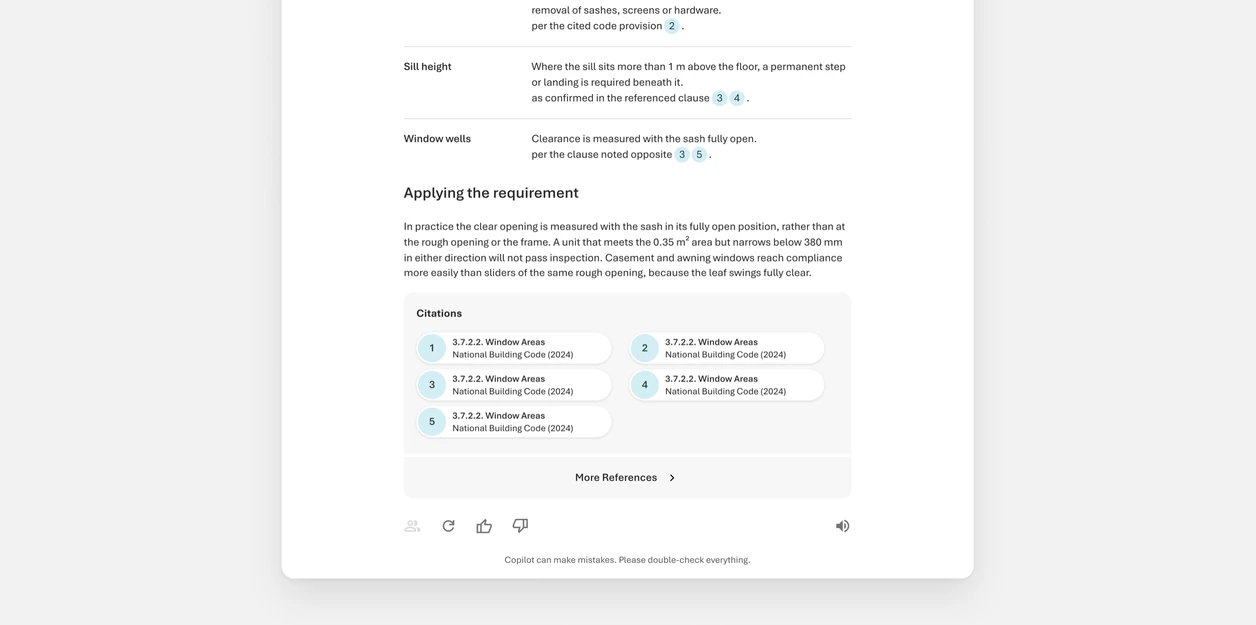
Inline citations with the reference panel
Reference panelWe chose the reference panel so users could verify an answer without losing their place in the conversation. The narrower answer area was worth the tradeoff because verification stayed in the same workflow.

How should new questions work in the Standard tier?
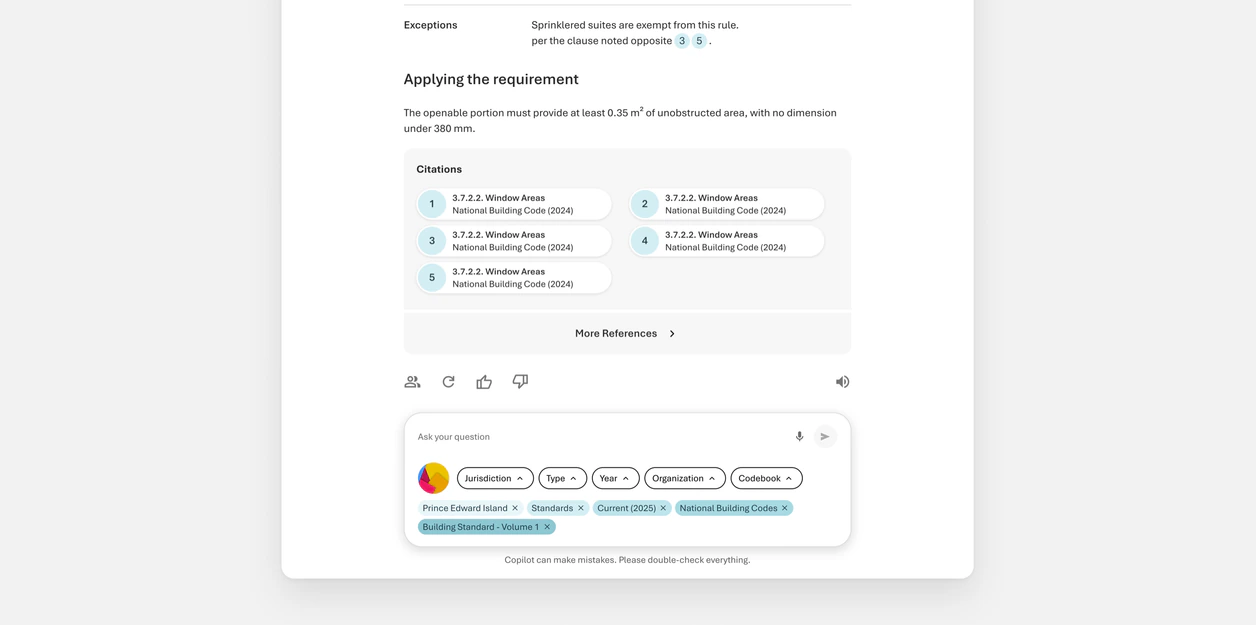
A new question overriding the current chat
Override the current chatNew questions replace the current conversation, reducing the number of clicks and matching the Pro experience. This was faster, but could make Standard users expect their conversations to carry context and be saved like Pro chats.
A new question starting a new chat
Start a new chatEach new question starts a separate conversation and shows suggested questions to help users get started.
We chose start a new chat because Standard users didn’t have persistent chat history. Keeping each question separate made the product’s limitations clearer and avoided implying that context would carry over when it wouldn’t.
Final designs

We created a more discoverable and trustworthy Copilot experience.

The redesigned experience makes Copilot accessible from anywhere in Trax, helps users refine questions with persistent filters, and lets them verify answers through inline citations.
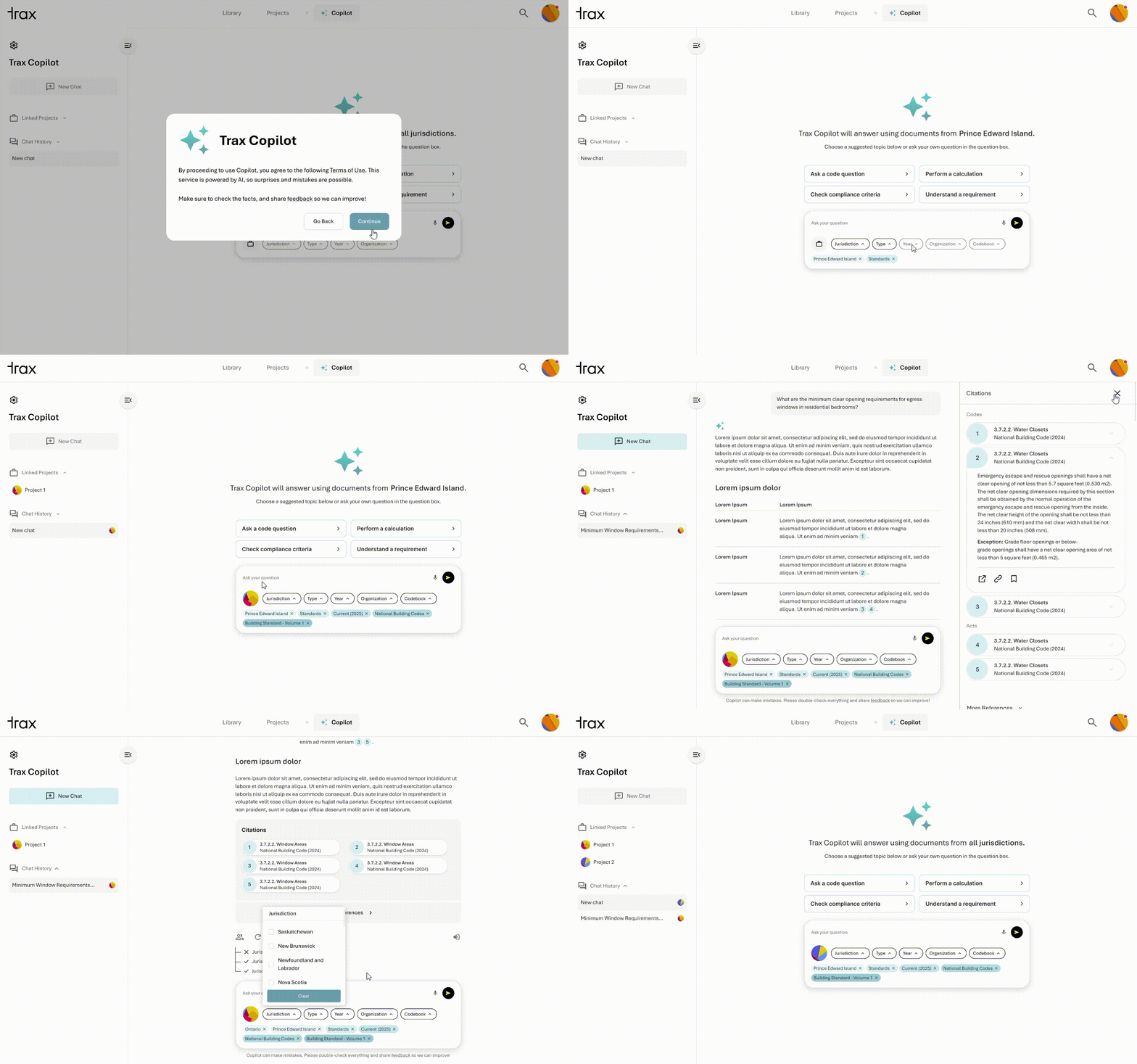
Final Copilot walkthrough: navigation, suggested prompts, filters, response, citations and project integration
Reflection

What I learned

Align early with development to understand constraints

Bring developers into the conversation early to understand technical constraints before committing to a direction.

Scope to the minimum users actually need

Keeping the scope focused helped us prioritize the problems we could meaningfully solve within the project.

Next steps

Where I’d take it next

Test Copilot in real code research workflows

Observe architects, engineers, and construction professionals using Copilot to answer real compliance questions. I’d focus on whether users can find the right sources, refine their questions, and confidently validate the response.

Expand the filtering system

As more code types and project contexts are added, revisit the filter structure to make sure users can still scan and adjust their context without adding complexity.

Contact me LinkedIn ↗
Made with lots of love and an endless supply of coffee
Have an idea? Let's chat!